 The Living Story Company
 The Lighthouse
 Landfall
 Copperheart
 Driftwood
 My Robot Friend
 In VR
 The Lighthouse

Somebody has to keep the light on. This is the room you do it from: the hour becomes the note, on a computer in your building, with your name on it.
Twenty things a provider should know.
Each one read from the Lighthouse’s own code, and shown on the screen it lives in.
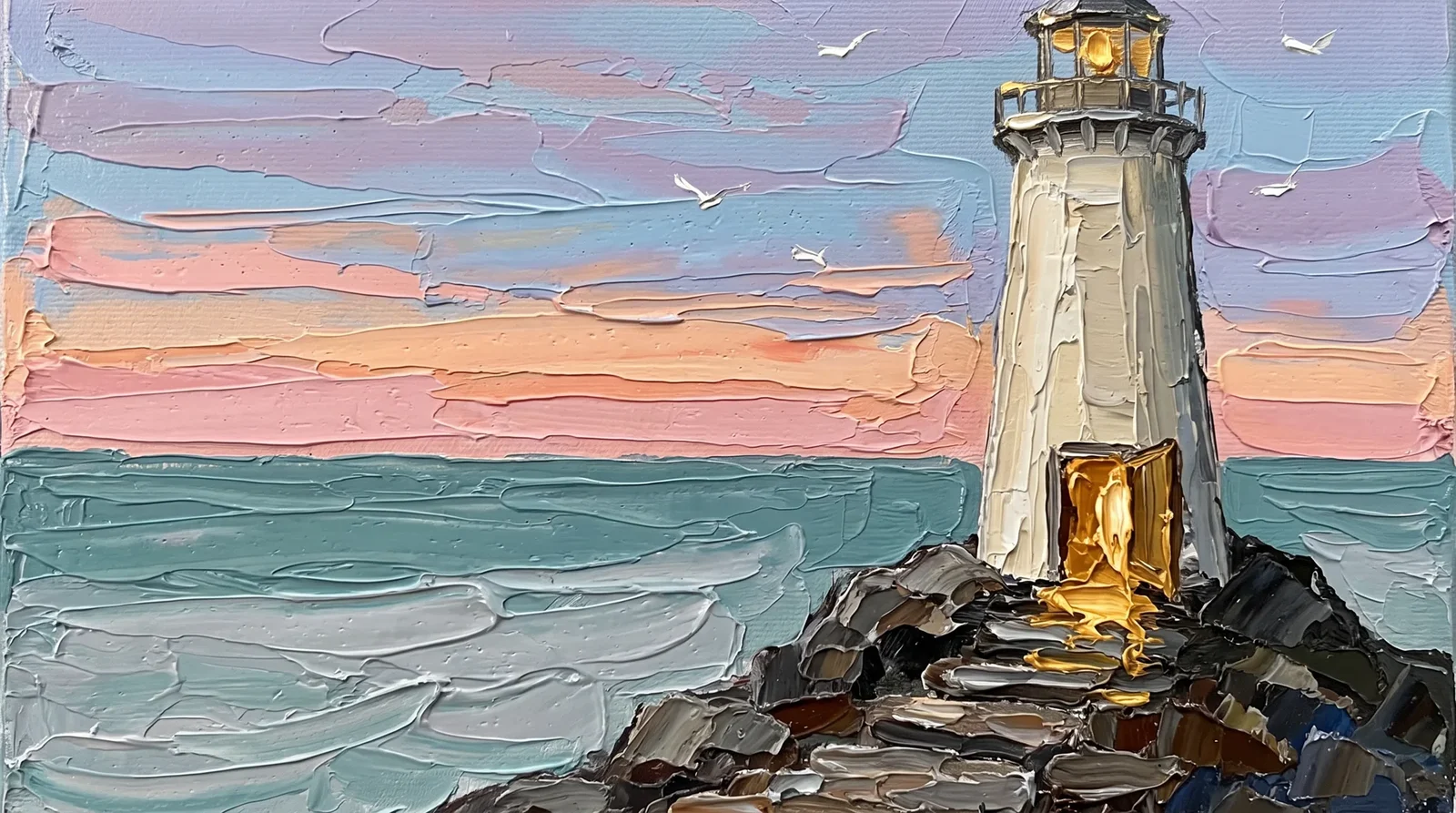 The record stays in your building.
An installed copy listens only on the computer it runs on.
 Sign-in is the door.
An installed copy requires it, and an unclear setting stops the start rather than guessing.
 Your AI can run on your own machine.
Ollama, MLX builds included, on the computer in your office.
 A cloud brain only when you choose it.
A new practice starts in-house. The cloud is a setting you turn on.
 When in doubt, words stay in.
An unreadable setting is treated as in-house.
 The Eraser goes first.
Identifying details are removed before anything reaches a cloud and restored in the answer. You can ask to see what would be sent before it goes.
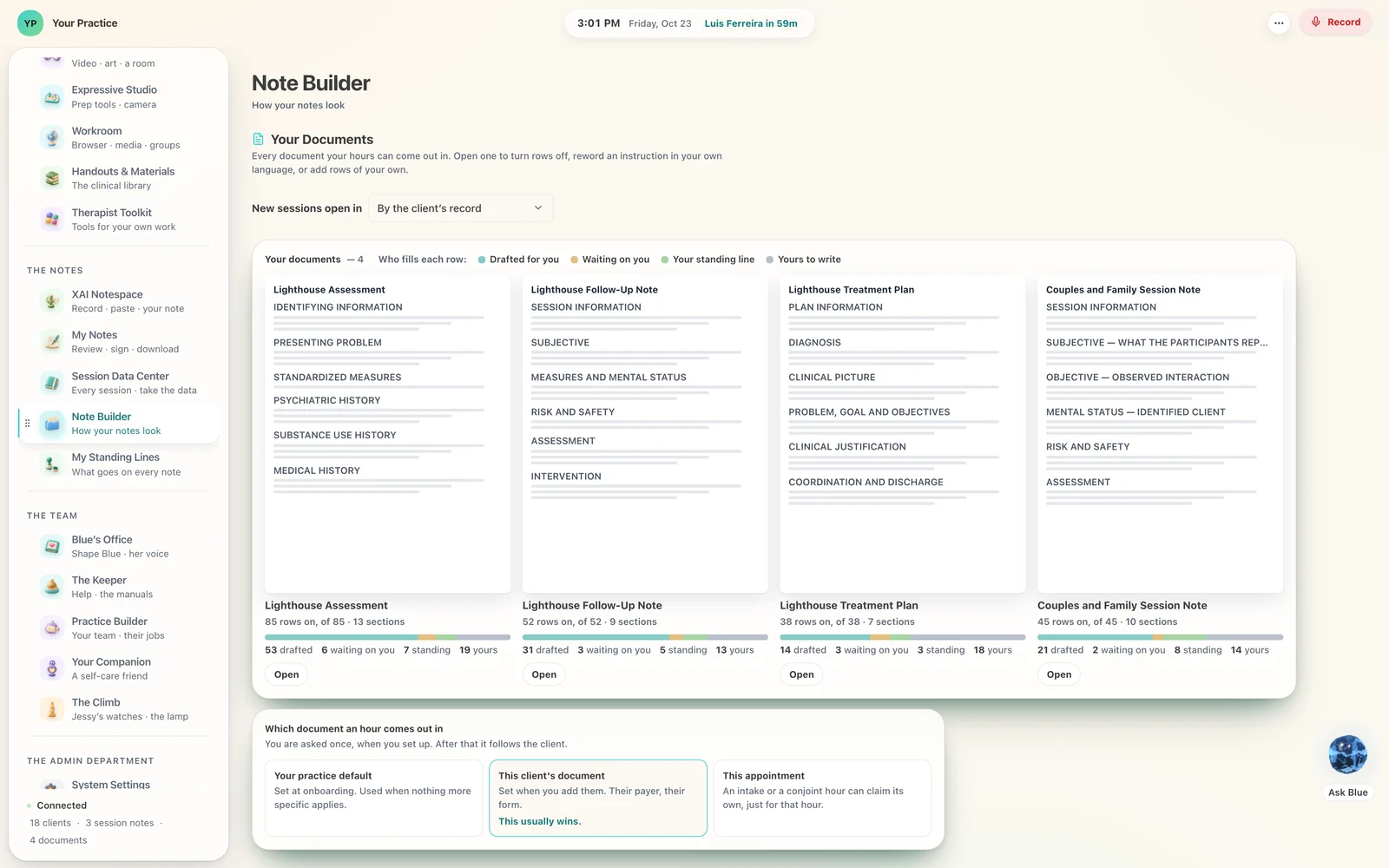 Every answer carries a receipt.
Which brain answered, where it ran, and whether the words left the practice.
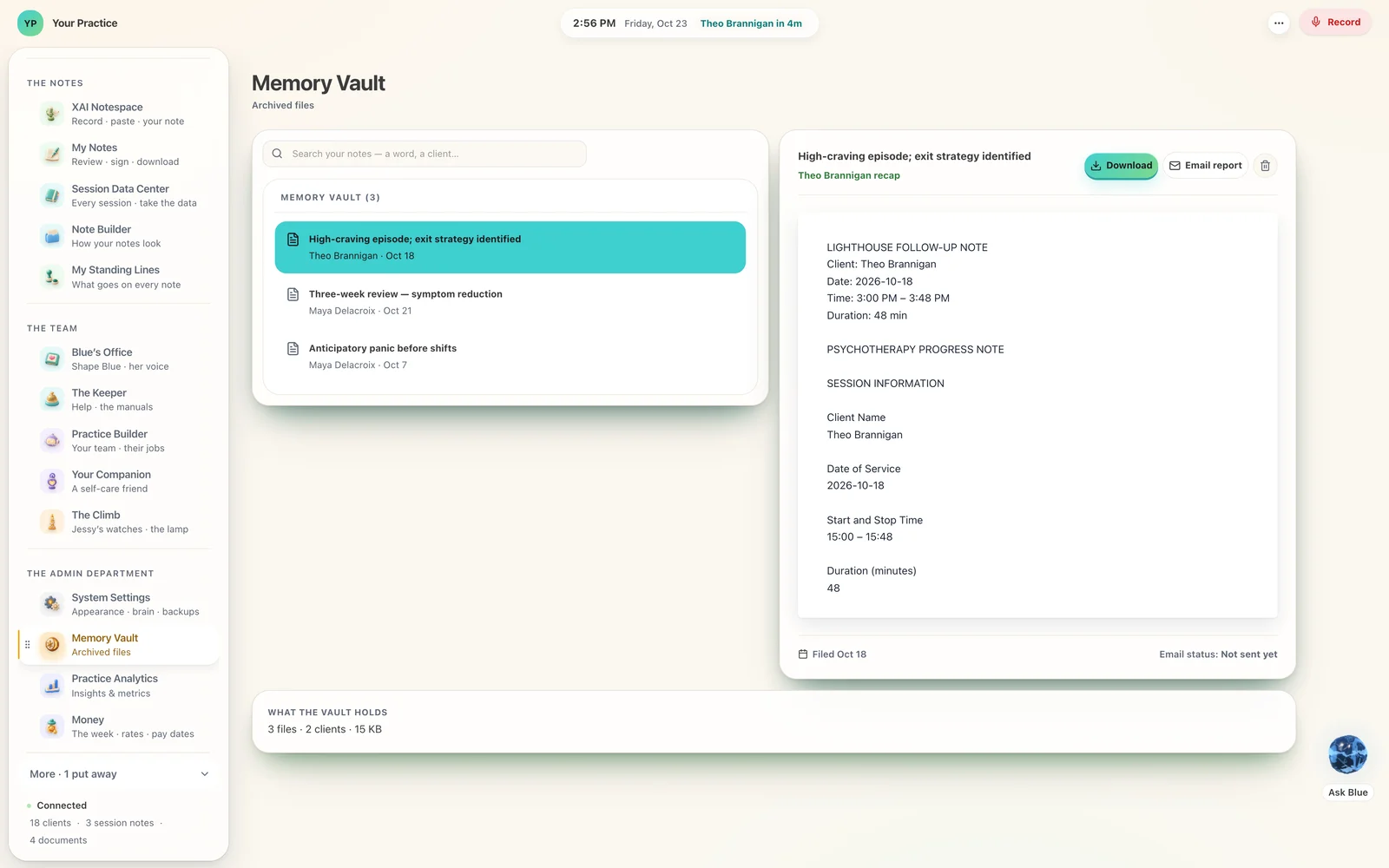 An AI read is an audited read.
When a brain reads a client’s record, the audit log records it.
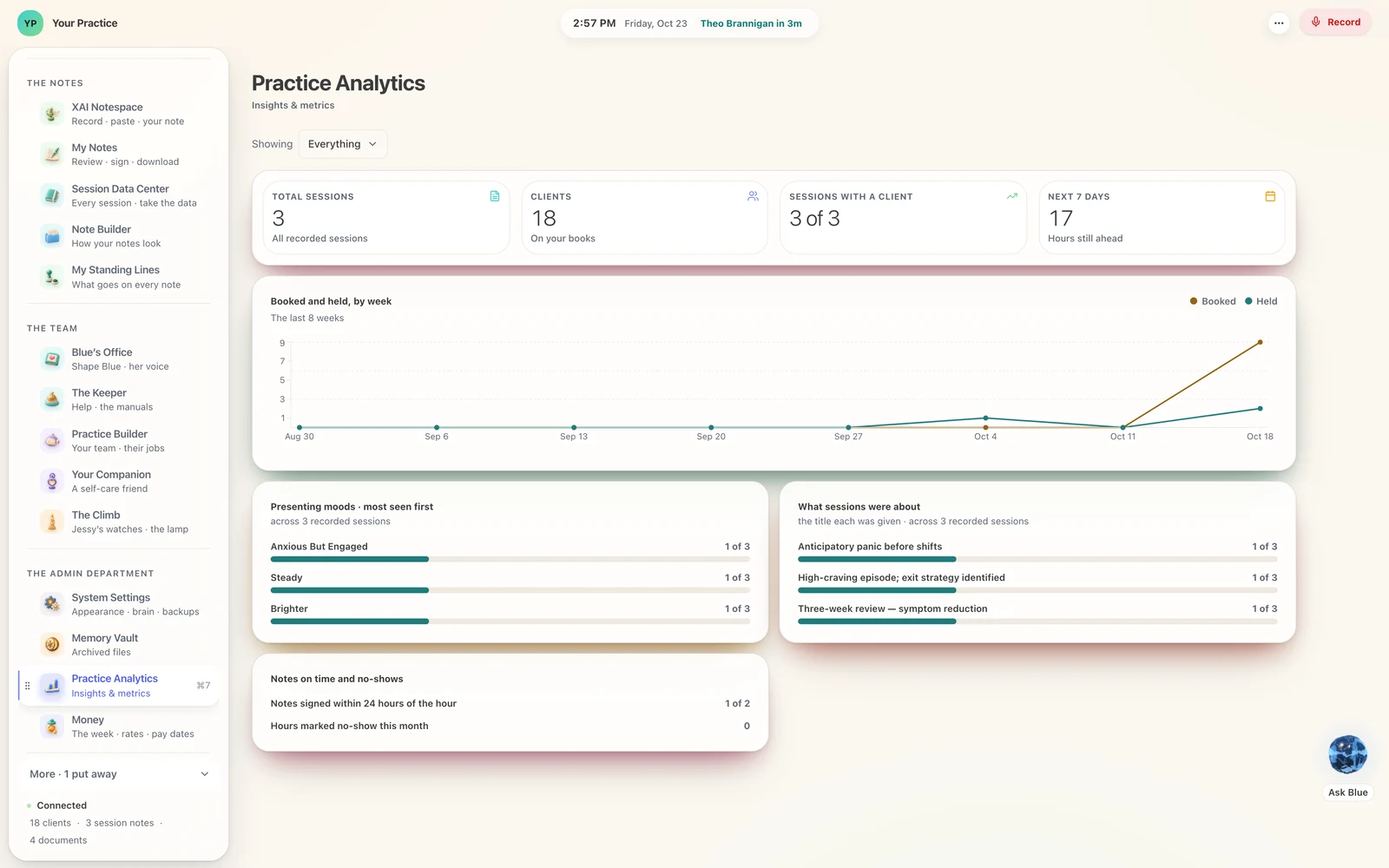 The audit log keeps the who and the what, and leaves the content out.
Reads, writes, exports and sign-ins, exportable as CSV.
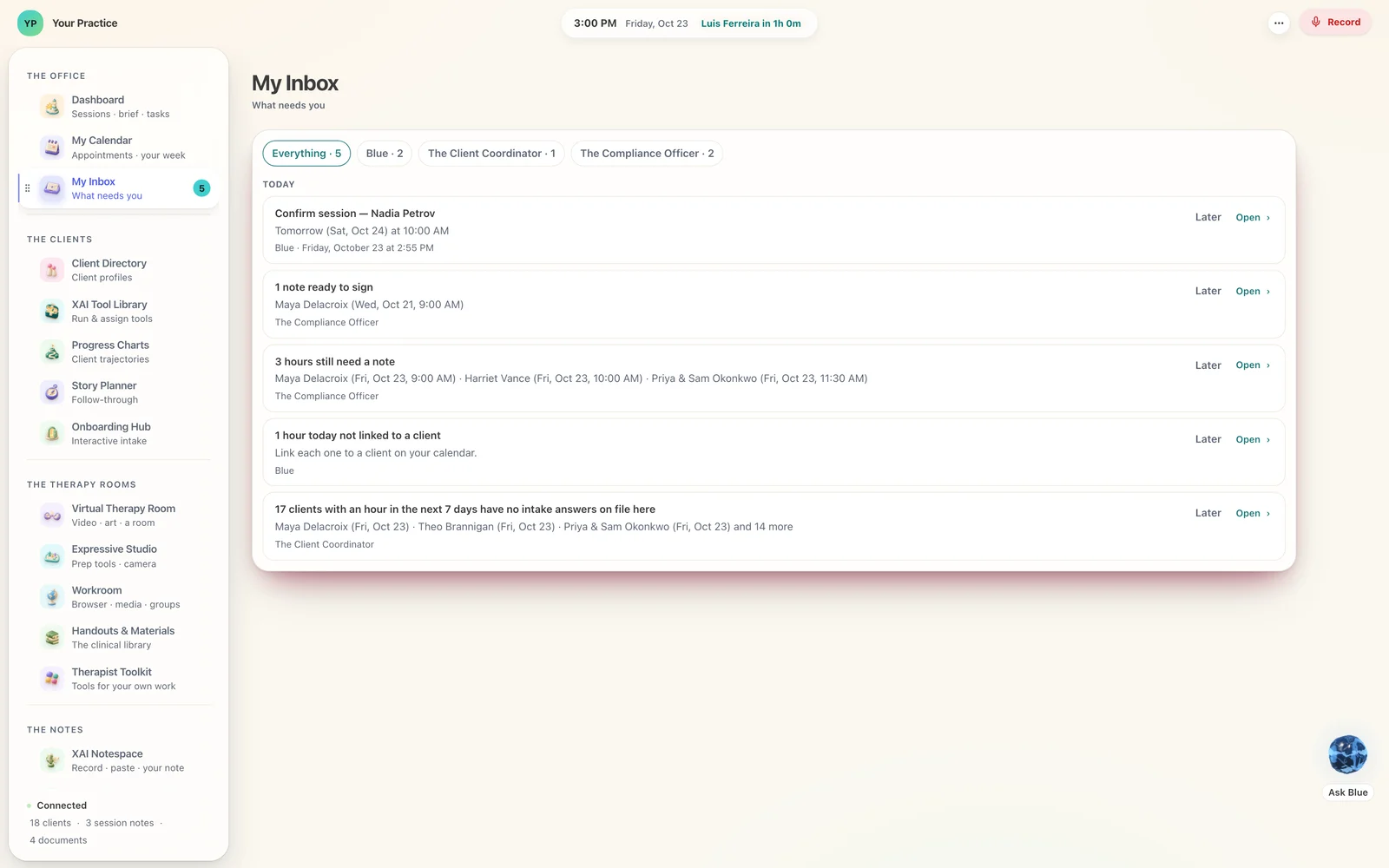 The Compliance Officer counts.
Notes owed and notes needing attention, at the strictness you set: Soft, Standard or Critical.
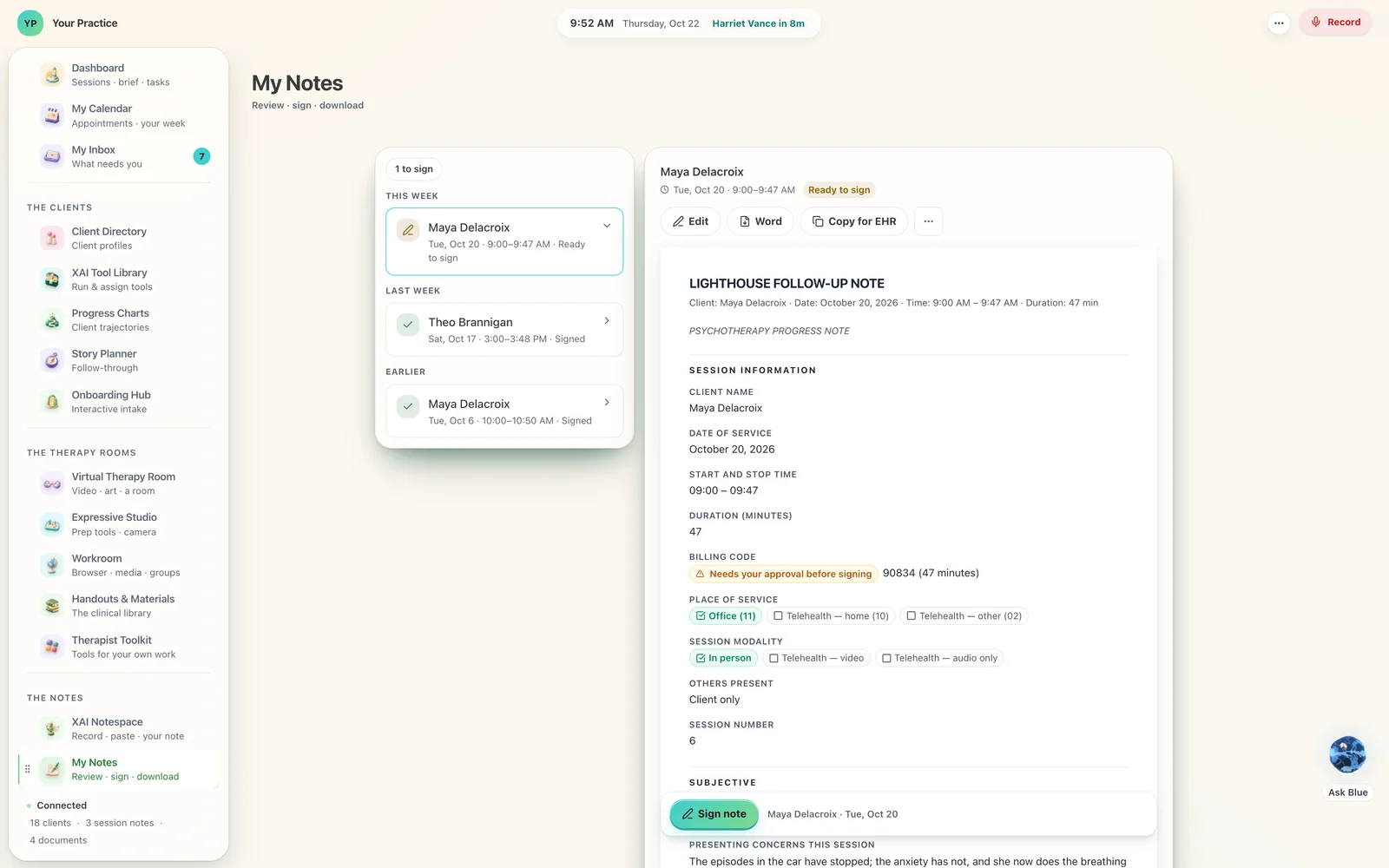 A signed note is locked.
A later change goes in as an addendum, in its own right.
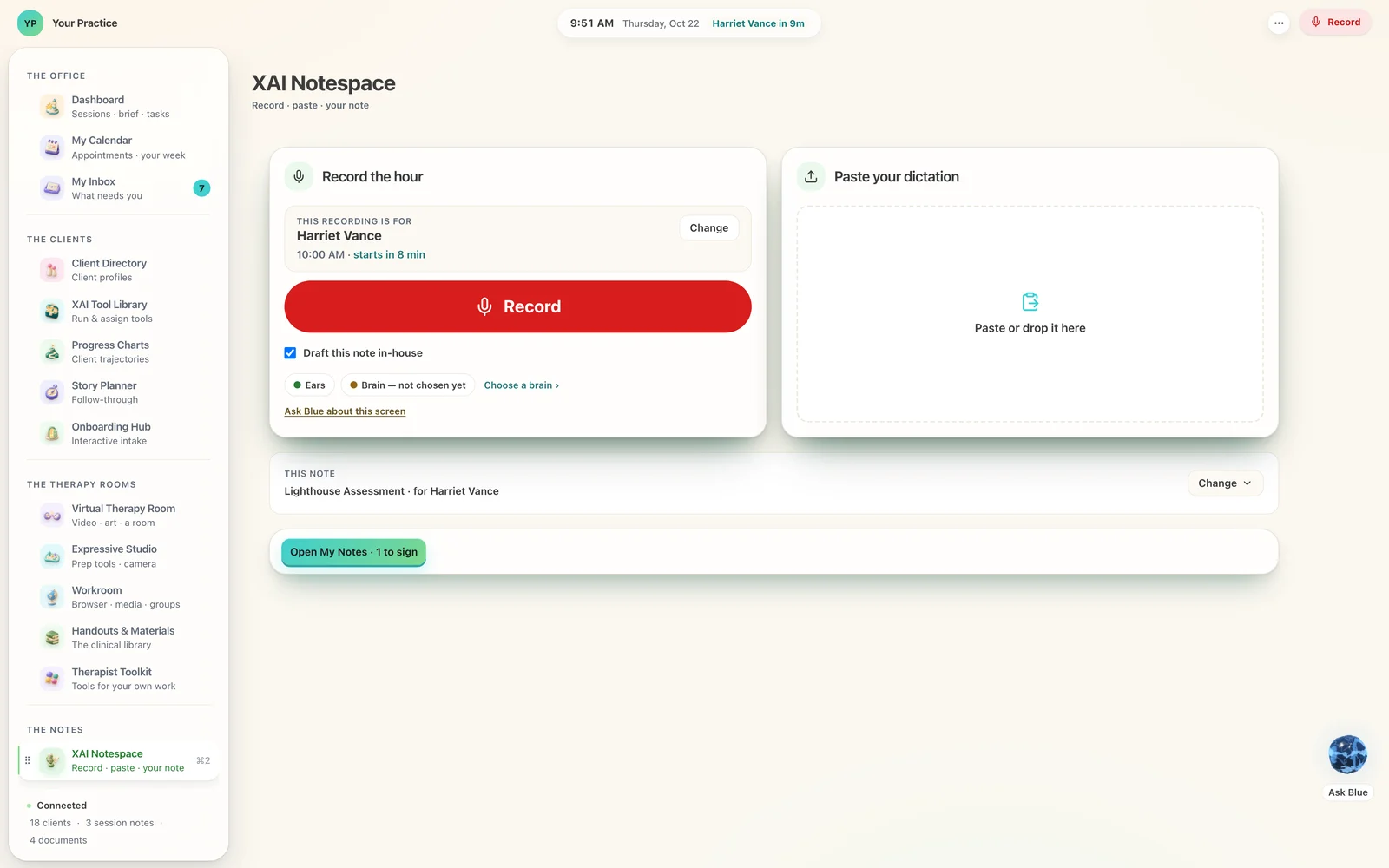 The drafter is held to the transcript.
It is told to use only what the transcript says.
 Every sentence has an anchor.
Each line of a draft points at the transcript line that supports it. A sentence with none is caught automatically.
- Group video on your own Mac.
A LiveKit server the Lighthouse runs on the practice’s machine.
 Consent at the door.
In a group, only members who agreed to your documents are transcribed. When the documents change, an earlier agreement lapses.
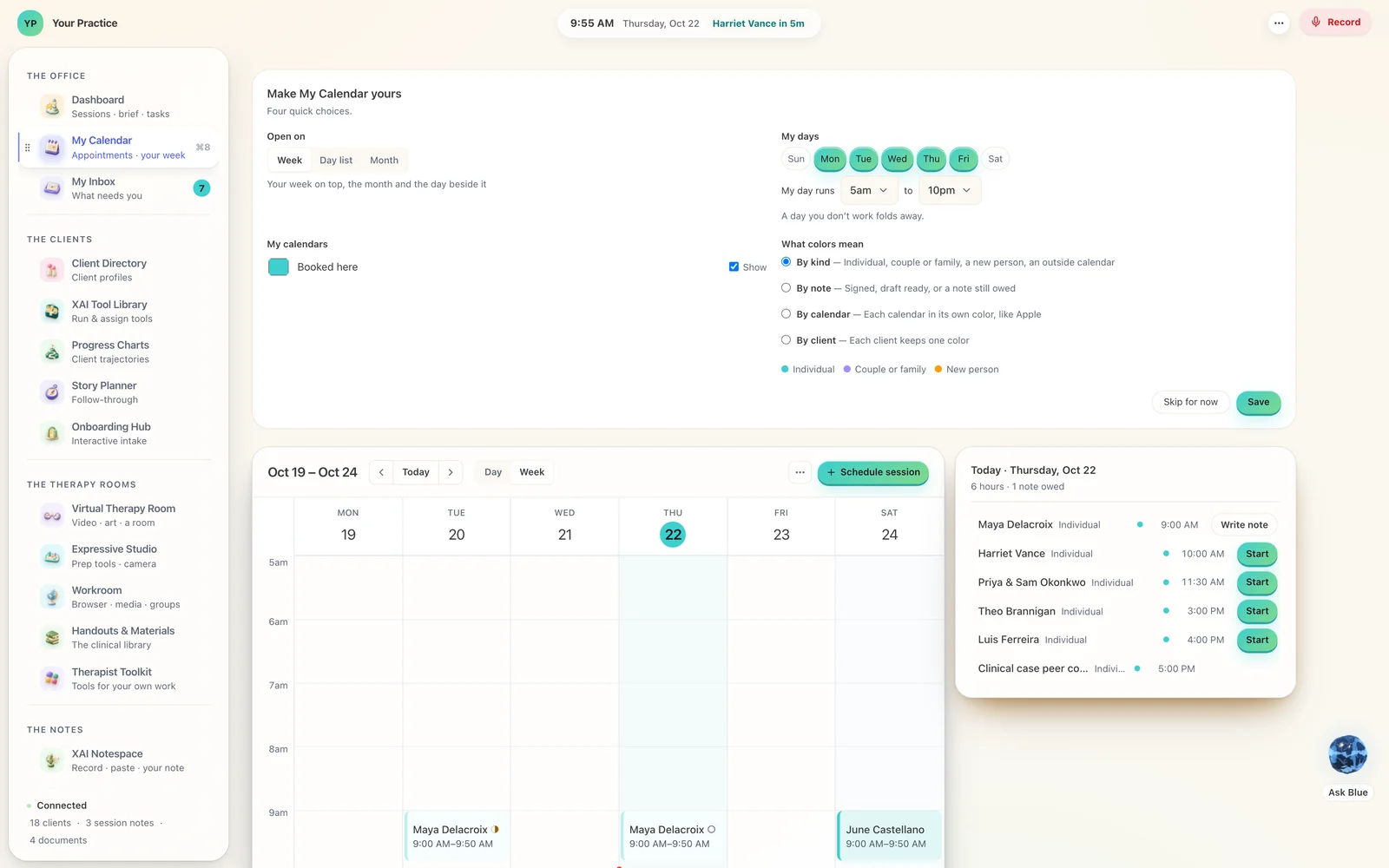 Booking on the practice’s clock.
Free times are worked out from your own settings, and a time just taken is turned away with a 409.
 Outside calendars come in, yours goes out.
ICS feeds are read into the one calendar, a future event that vanishes from its feed is removed, and your calendar is served as a keyed .ics feed.
 Blue leads a team.
Keeper, Client Coordinator, Clinical Coordinator, Compliance Officer, Banker, Companion, and the members you add.
 Backups travel encrypted.
An offsite backup is sealed with your passphrase: scrypt, then X25519.
 Assign, and a receipt comes home.
A client pairs a phone to their own record. You send work to their world, and the receipt returns to the record.
The Lighthouse
Somebody has to keep the light on.
This is the room you do it from.
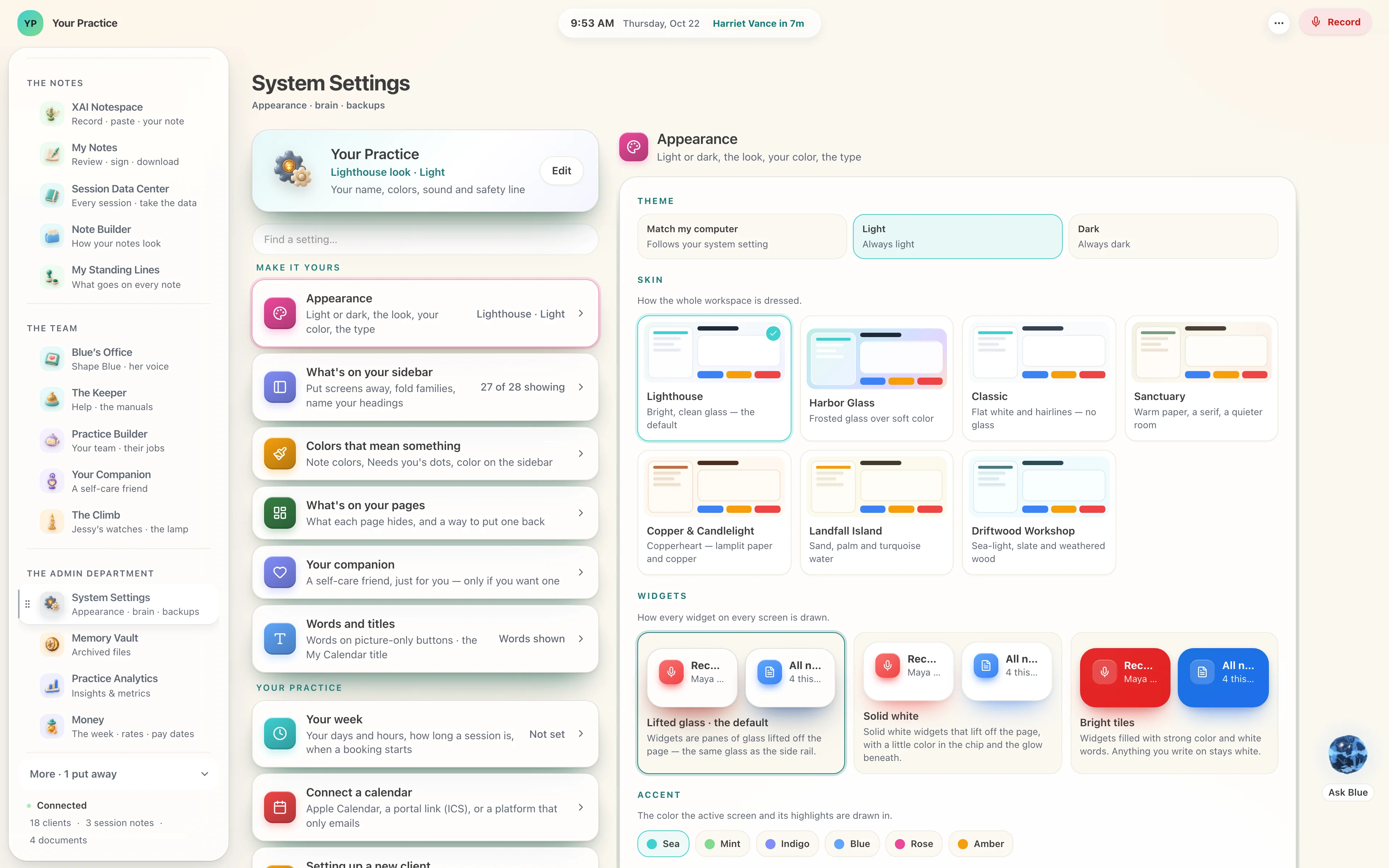
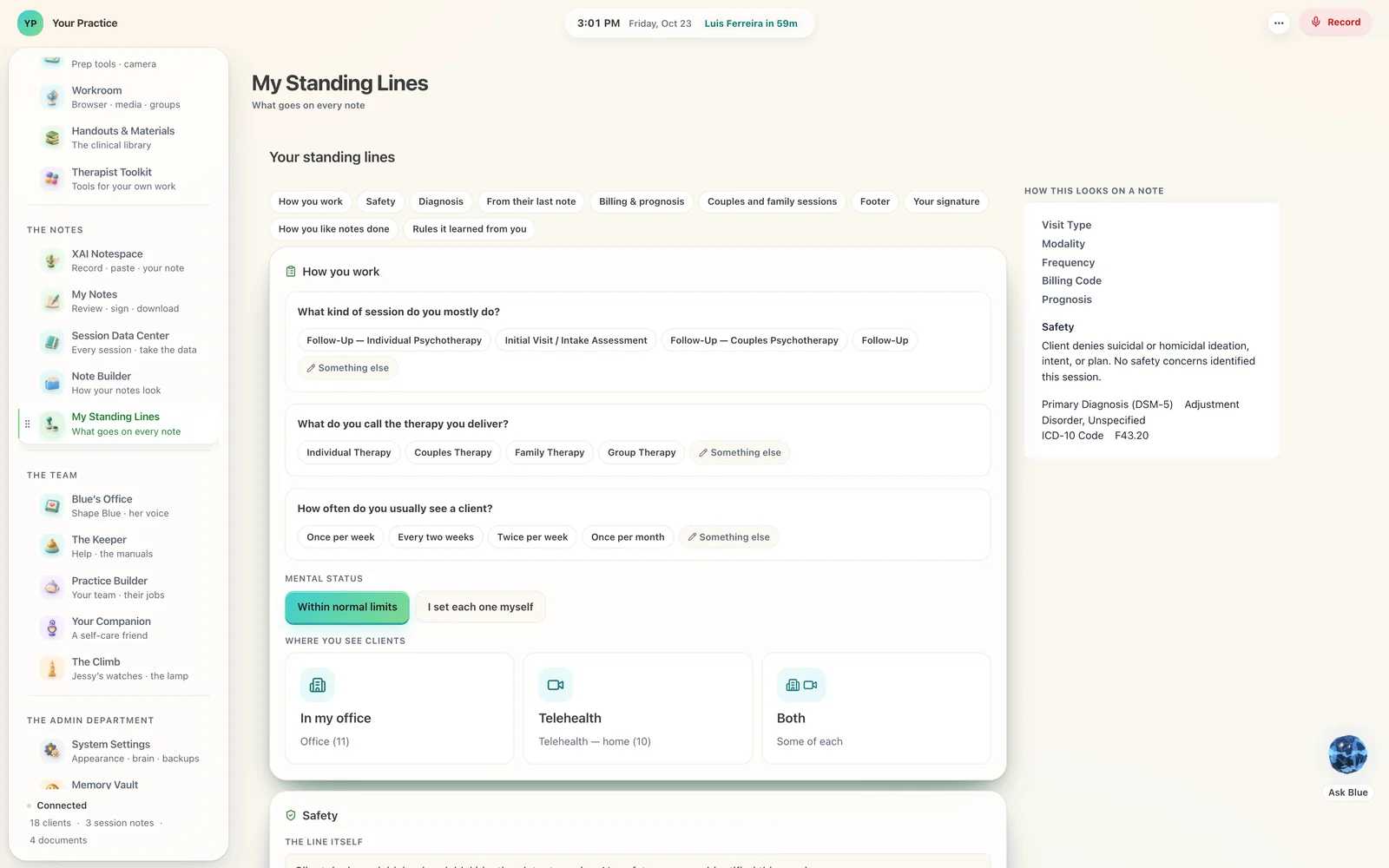
28 screens in one workspace, seventeen expressive studios, up to 173 tools you can send, seven ways to dress it, 31 sculpted objects, and 661 checks before a release. Every one of those numbers is read from the Lighthouse’s own code when this page is built.
On the computer in your office. The Lighthouse installs there and keeps its database there — the hour is heard on that machine, the note is written on it, and the file stays on its disk.
One question, answered the same way every time.
Ask it of any software you are thinking about. The answer here is a fact about where the file is, and you can watch it happen.
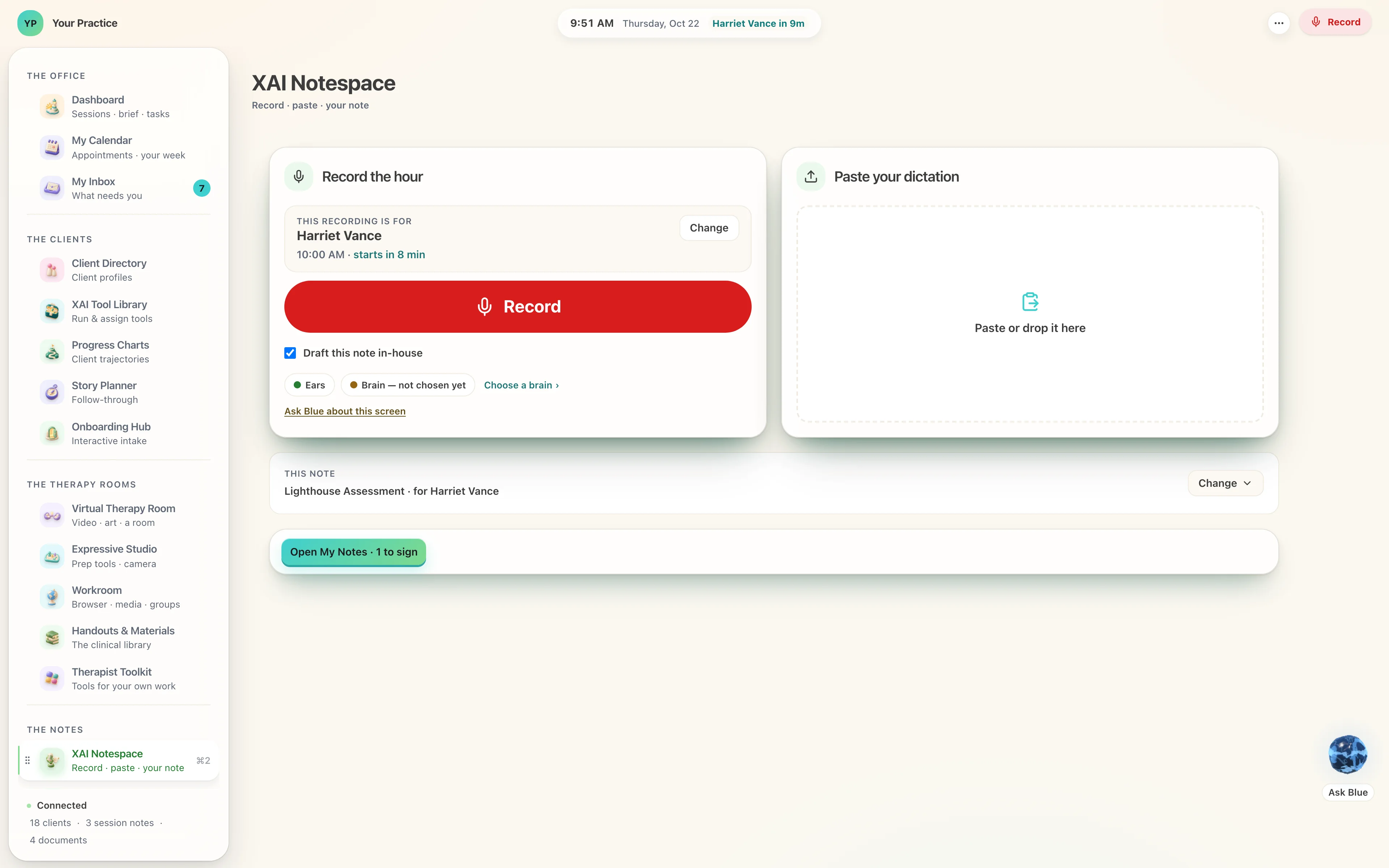
The hour you just sat in becomes the note.
Press record when they sit down. The audio goes to a program running on your machine, the words come back, and a draft arrives in your document — the one you designed, with your sections and your wording. The transcript and the audio are written to disk before the recorder is even told to stop, so a closed lid is just a closed lid.
The ears are a listening program on your own computer, and the brain is a small language model on the same machine. Both work with the internet off, and the hour stays in the room. If you want a larger brain in the cloud for one job, you bring your own key and choose that job yourself.
Or paste what you already have — a transcript, a summary from your calendar — and the same note comes back. XAI Notespace is one home for the hour: record · paste · your note. Record sits in the header of every screen, so the hour starts from wherever you are.
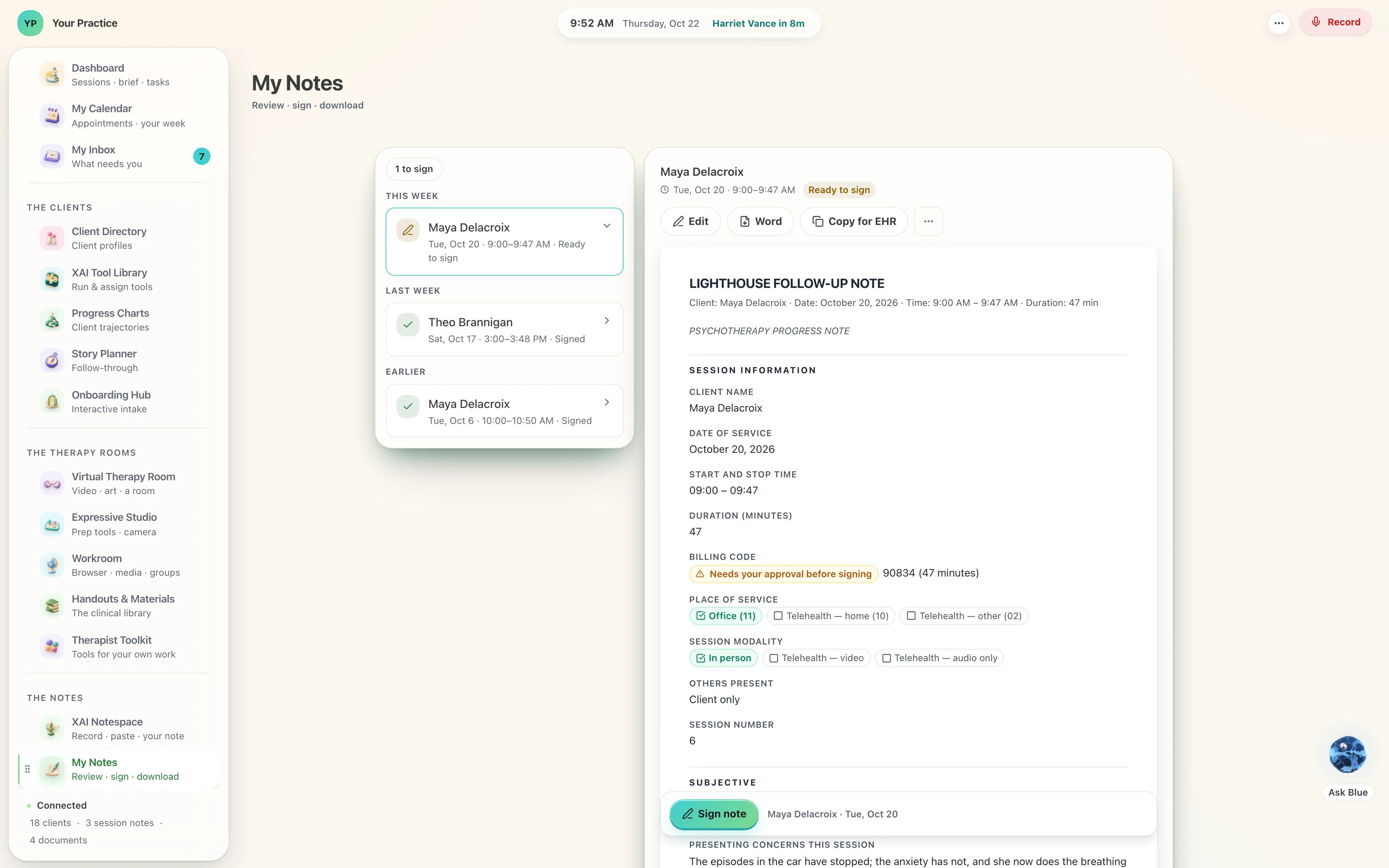
Every sentence stands on a line of the hour.
A note is only as good as what it can point at. Each line drawn from the session carries the transcript it came from, and you can follow any sentence back to the moment it was said.
Risk, diagnosis and medical necessity stay yours: anything drafted in that territory arrives marked for your decision, and your signature is the thing that makes it a record.
31% of an AI scribe’s notes held a hallucination. 20% of the physicians’ own did.
A peer-reviewed evaluation of an AI ambient scribe in outpatient medicine, 97 recorded encounters, each note scored by reviewers on a validated rubric (Palm et al., 2025, Frontiers in Artificial Intelligence). The Lighthouse is built to that problem: every sentence its model drafts carries the lines of the hour it came from, so you can follow any sentence back to its moment, and check it, before you sign; the risk line and the diagnosis stay yours, your own standing lines, written in after the model has finished.
The parts, at the size you would see them.
A whole workspace shrinks on a page. These are the same screens, cut at full size, so you can read what a therapist reads.
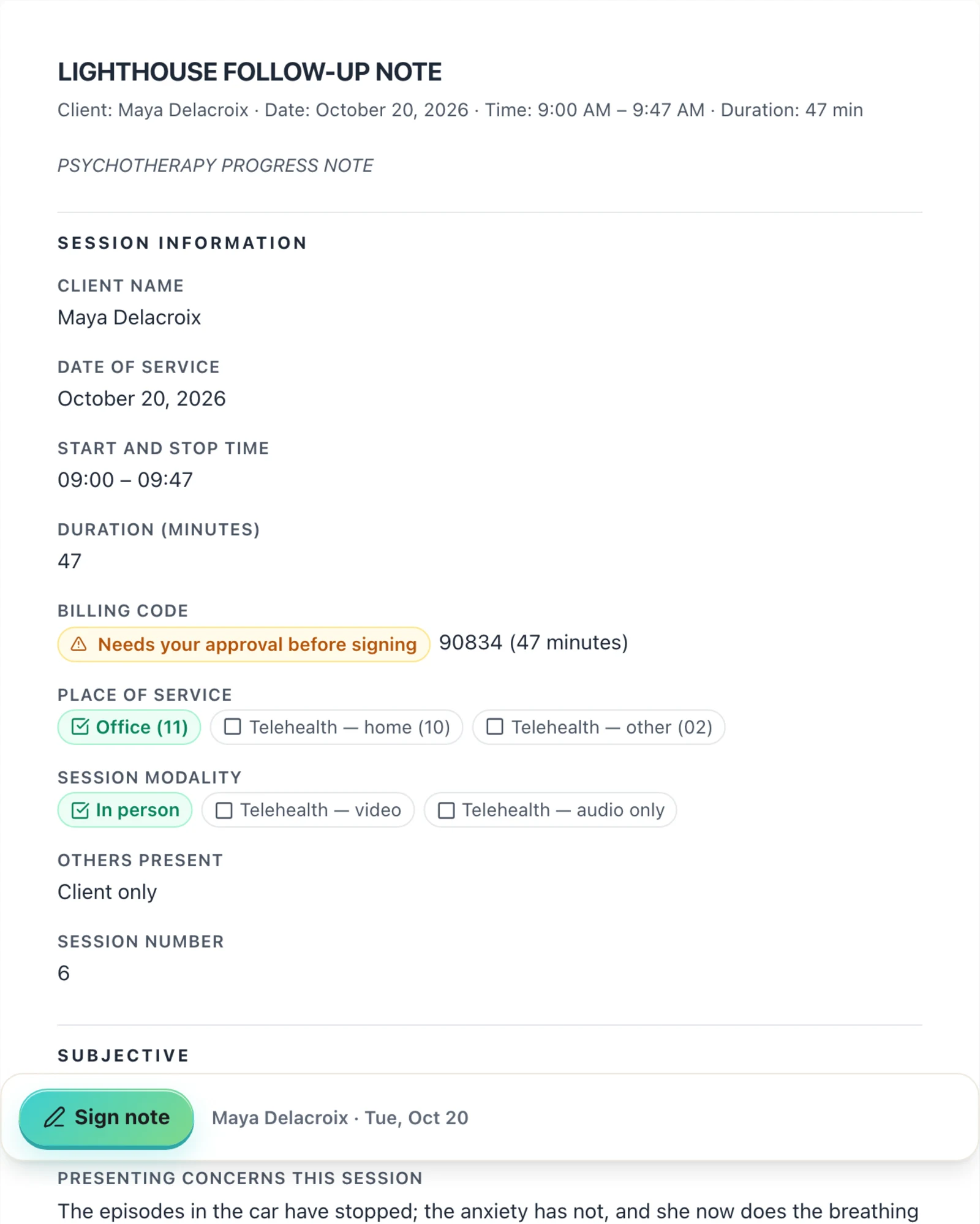
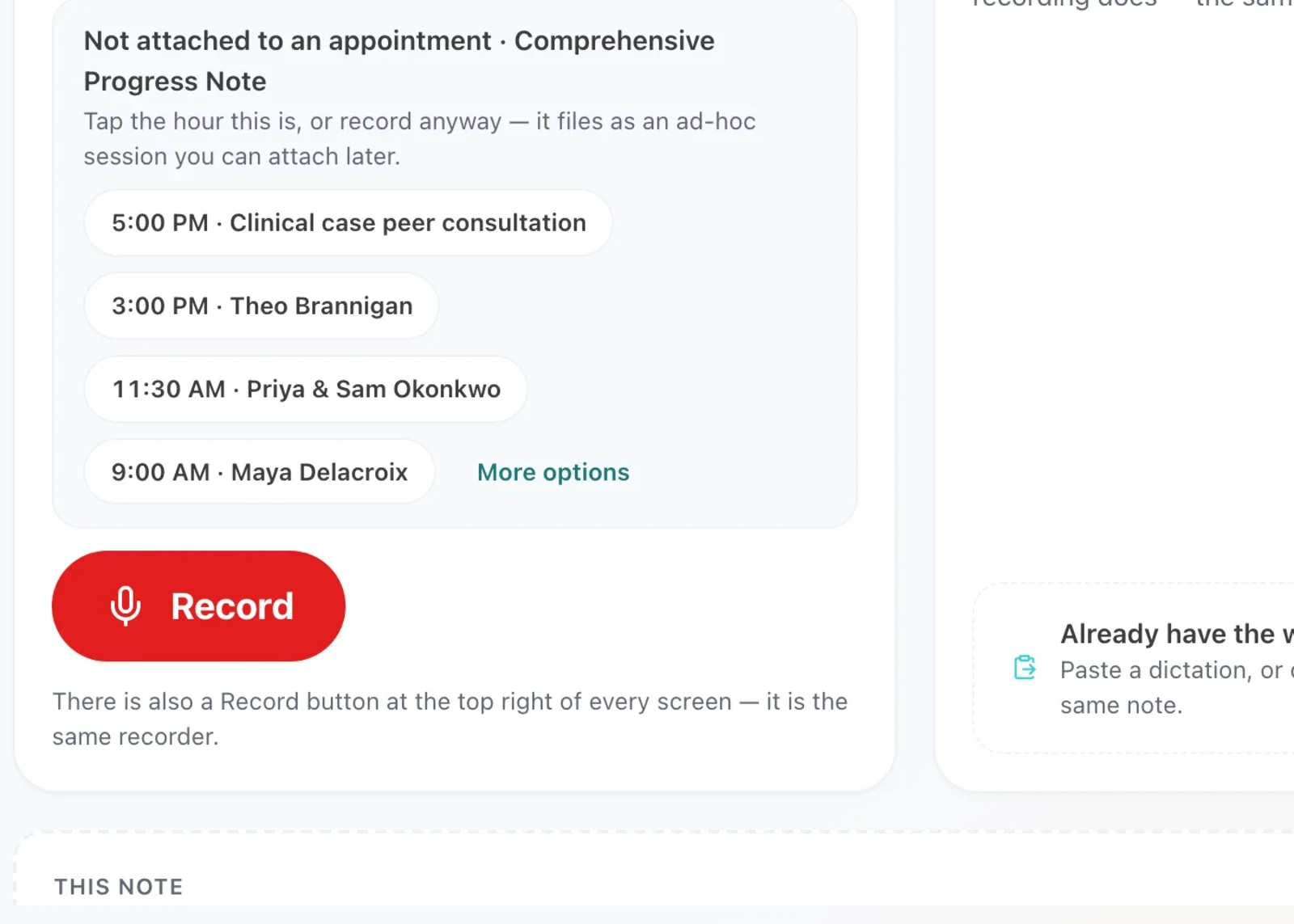
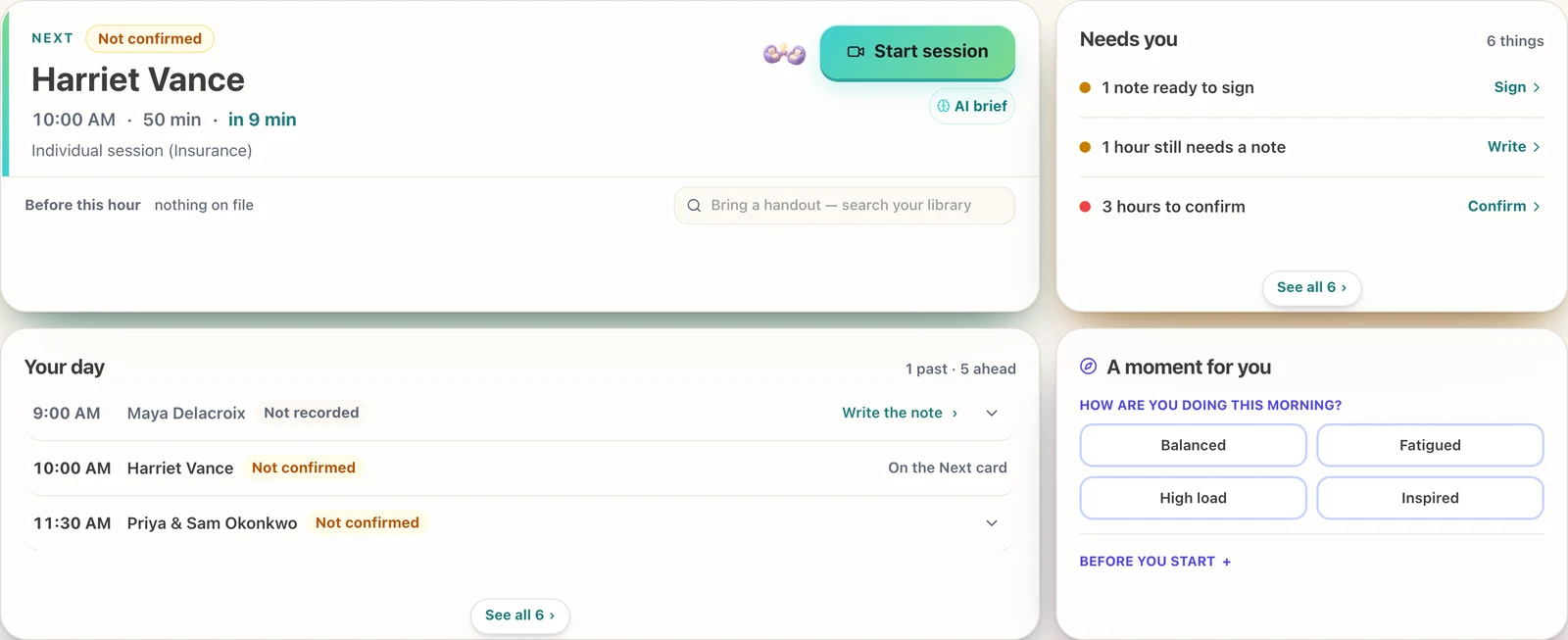
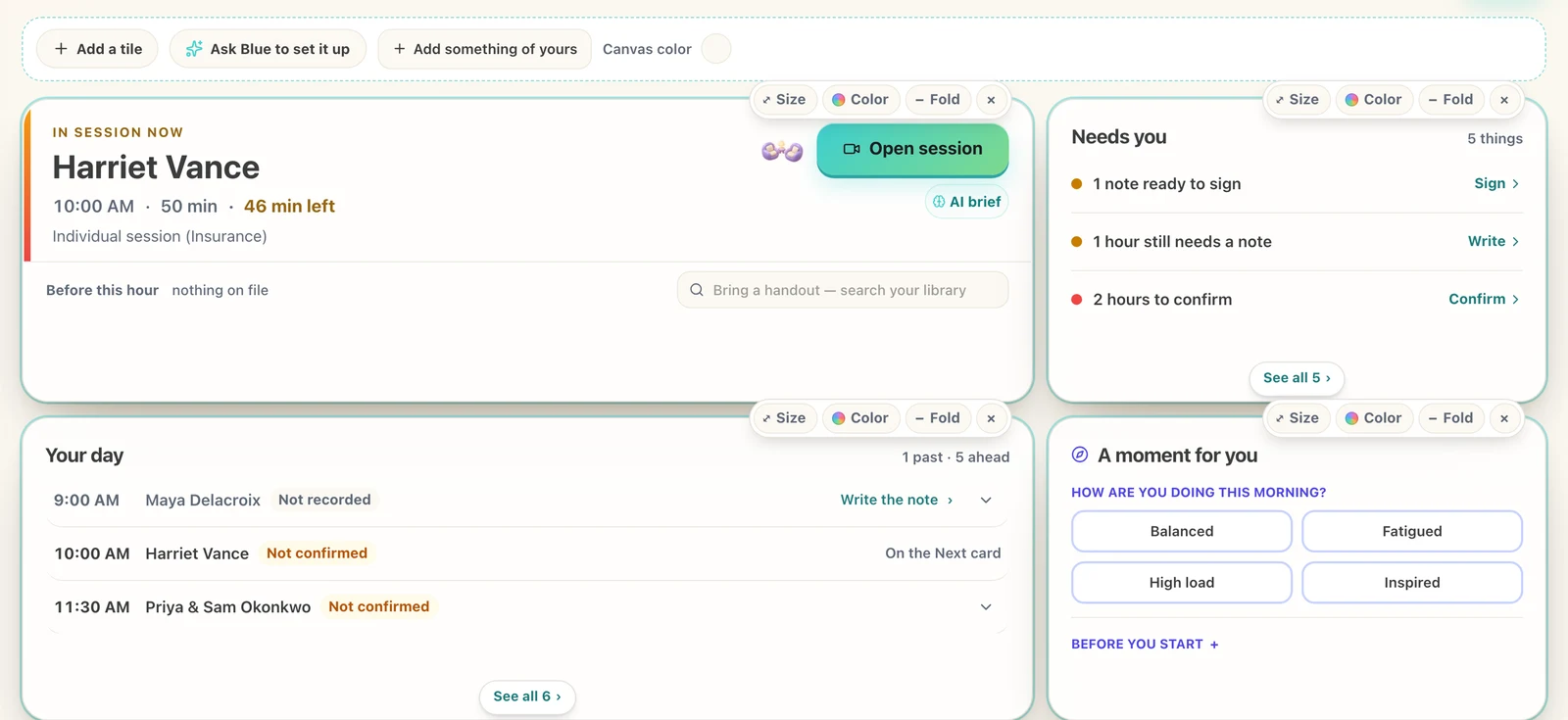
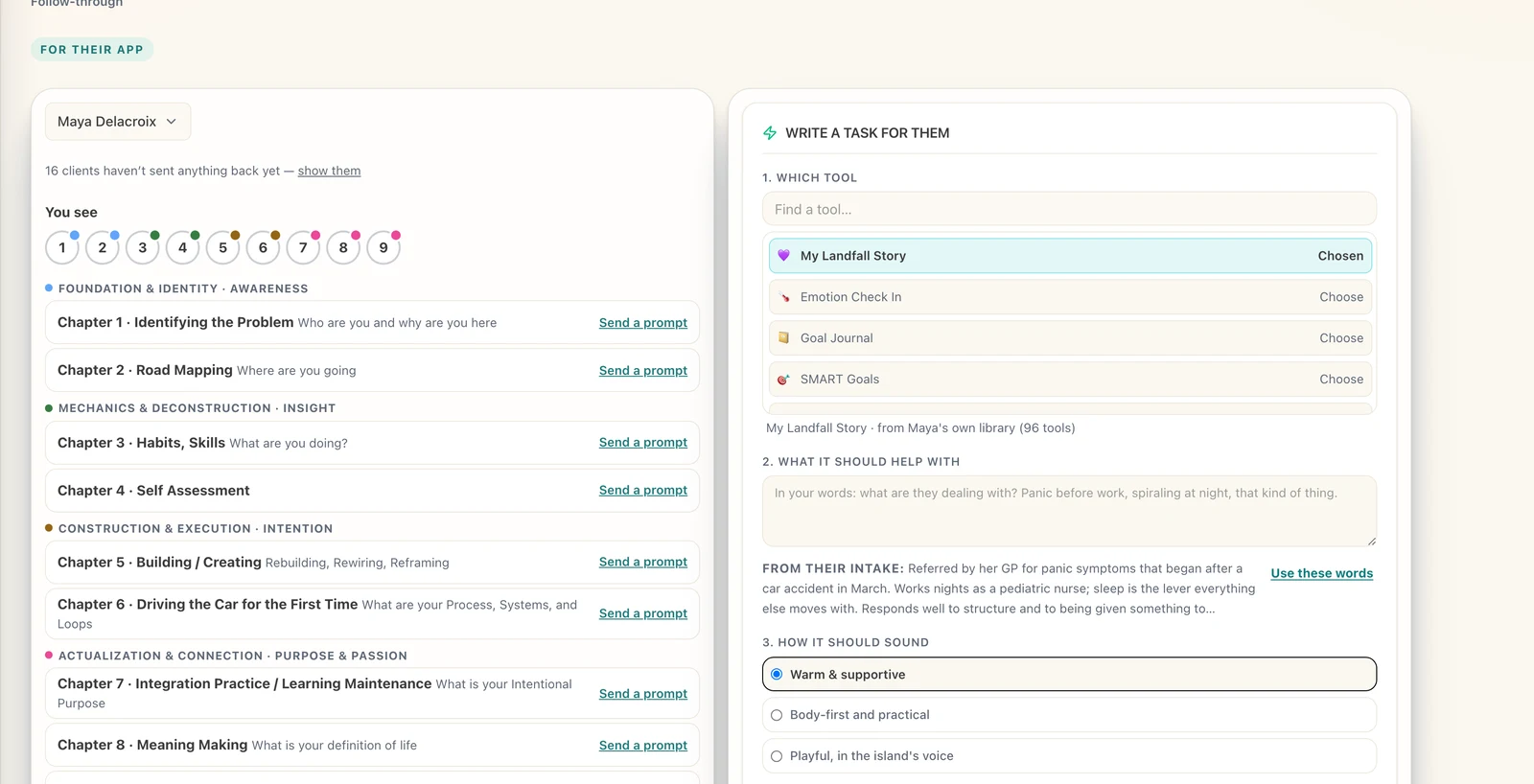
Cut from the 4K stills of 2026-09-20 at full size; re-cut from the October photographs when they land.
In your building. Your AI runs there too.
The Lighthouse is software you install, like a lamp you own. Your clients’ history sits on the machine in your office, your backups go to the places you choose, encrypted with a key that is yours.
The ears and the brain that write your notes run on that same machine, free, with everything staying in the room. If you want a cloud model, you bring your own key and it is used for the jobs you have allowed to leave, one task at a time, as a guest you invited. Settings lists every job and where it runs: on this computer, or at a company you named.
The help desk needs no model at all: it answers from the manual and from your machine’s own state.
Notes written on your own computer, without a cloud.
The hour is heard on that machine and the draft is written on it.
Bring your own key.
A cloud model is used only for the jobs you allowed to leave.
Optional systems for everybody.
Local, cloud, or both. The record stays where it is.
Send a tool. A receipt comes back.
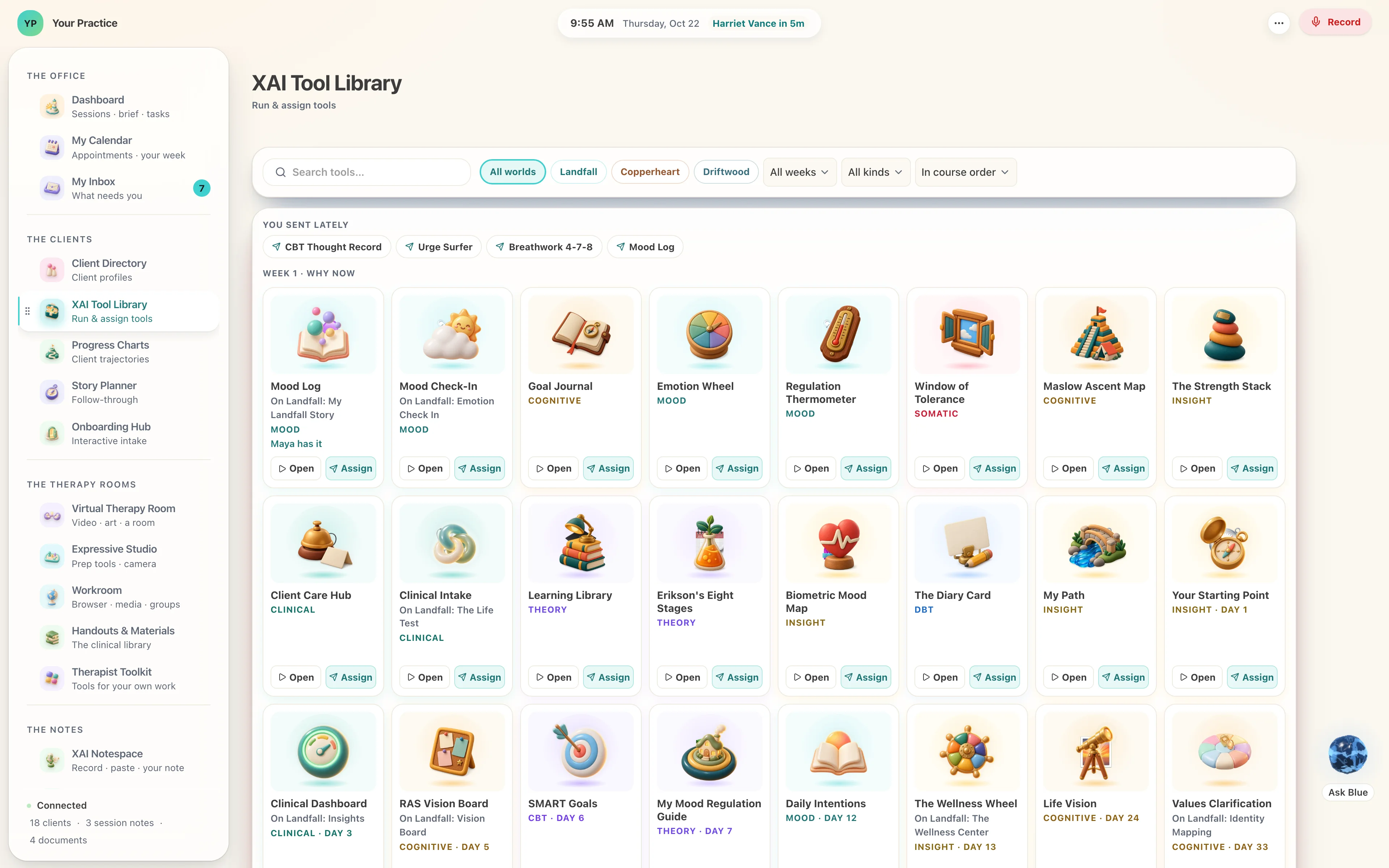
Your client has an app of their own — an island, a voyage or a shore. Choose a tool here in one tap and it opens on their phone; when they use it, their app’s own record comes home to their card. Evidence that the work happened, rather than a question at the start of the next hour.
Up to 173 tools are yours to send — 97 for a Landfall client, 115 for a Copperheart client, 173 for a Driftwood client — the shared library, and each world’s own on top.
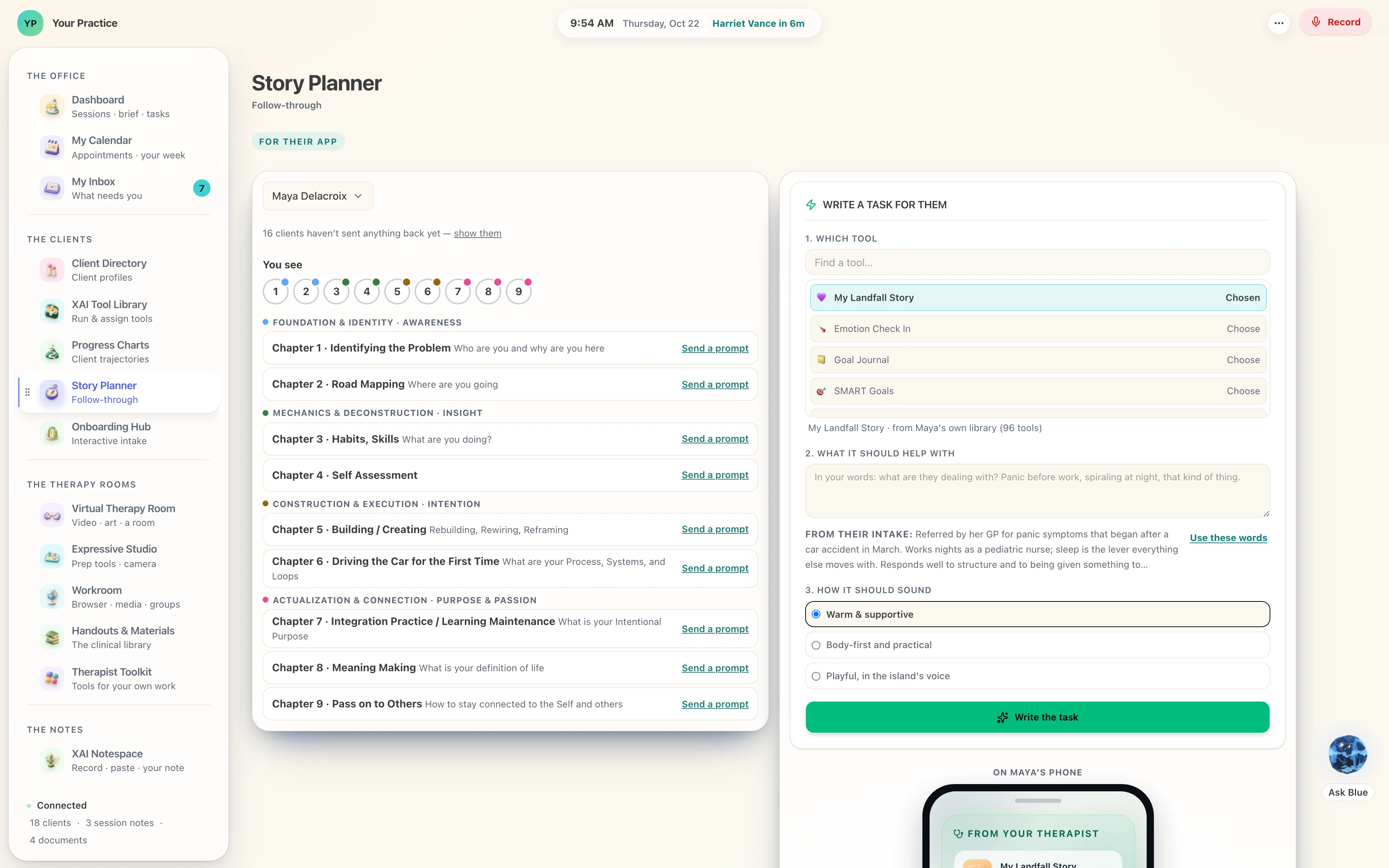
Four doors, in the order a client meets them.
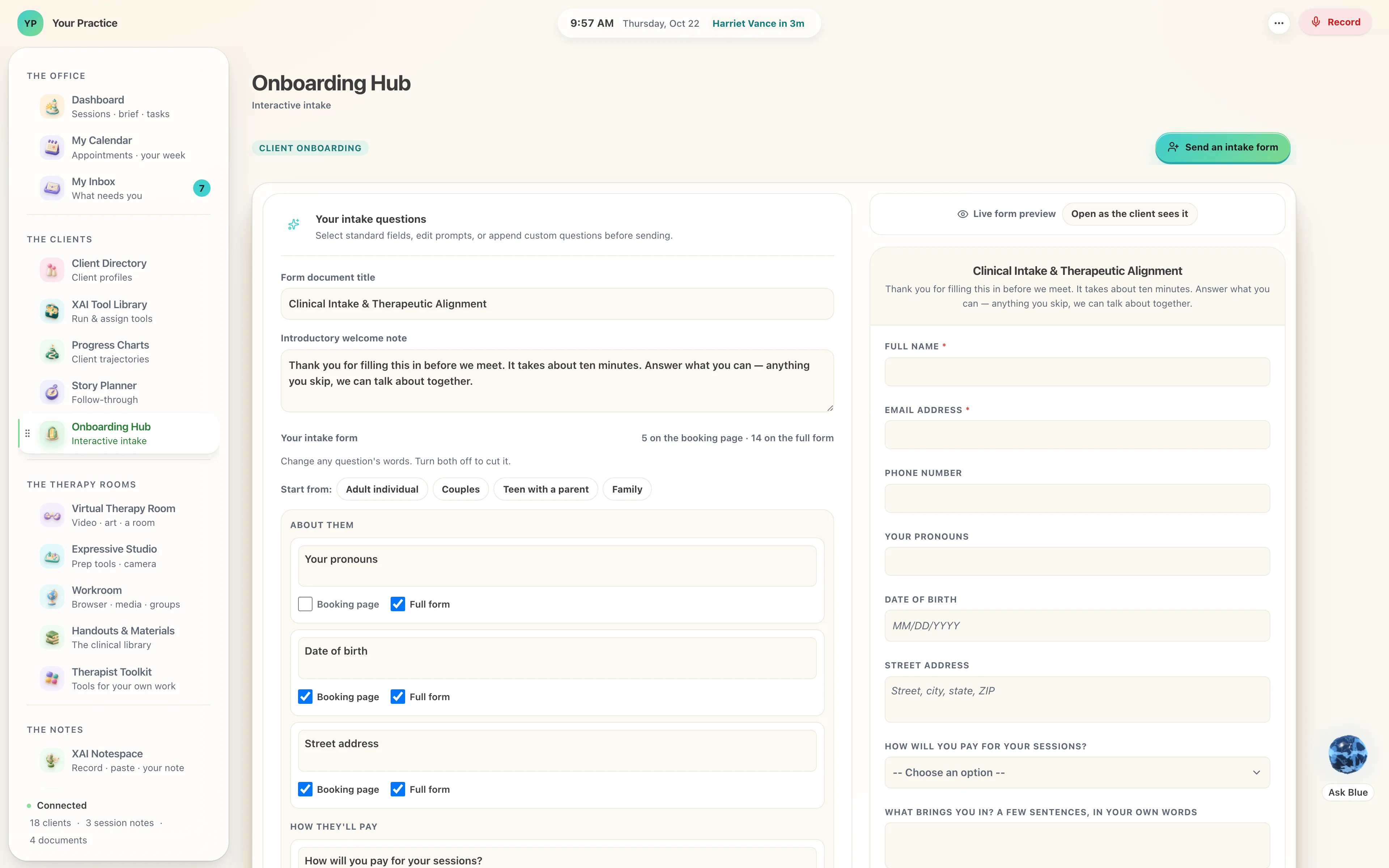
They arrive through an intake that is a conversation, their work between sessions is planned as a story, their progress is a chart you can both read, and whatever their app sends comes to one inbox.
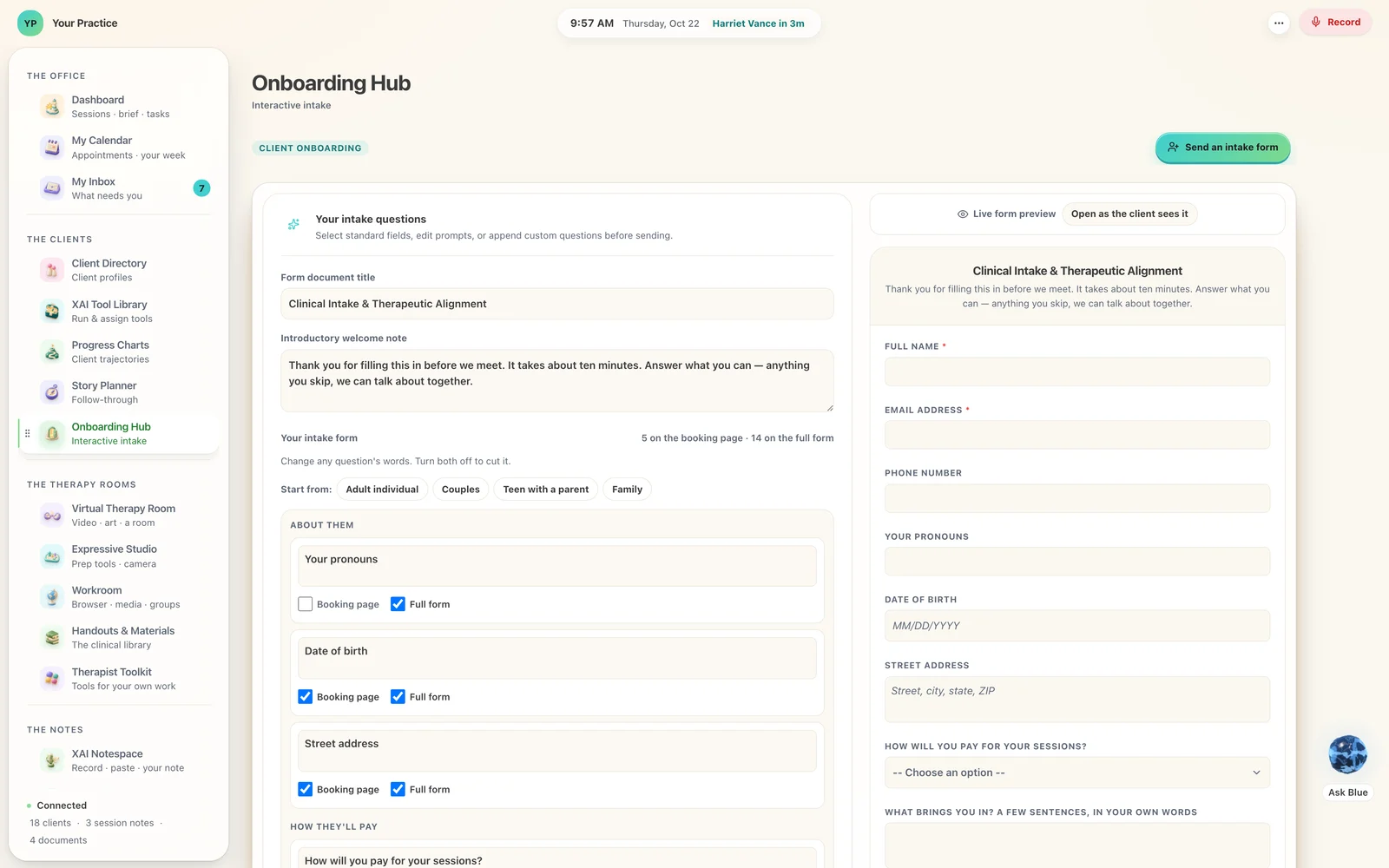
Onboarding Hub
Their first screen, and yours for them.
Story Planner
Choose the client, choose the tool, say what it is for — it lands on their phone.
Progress Charts
A person’s trajectory, drawn from what came home.
My Inbox
What their app sent, beside everything else that needs you.
Every screen is a canvas. You arrange it.
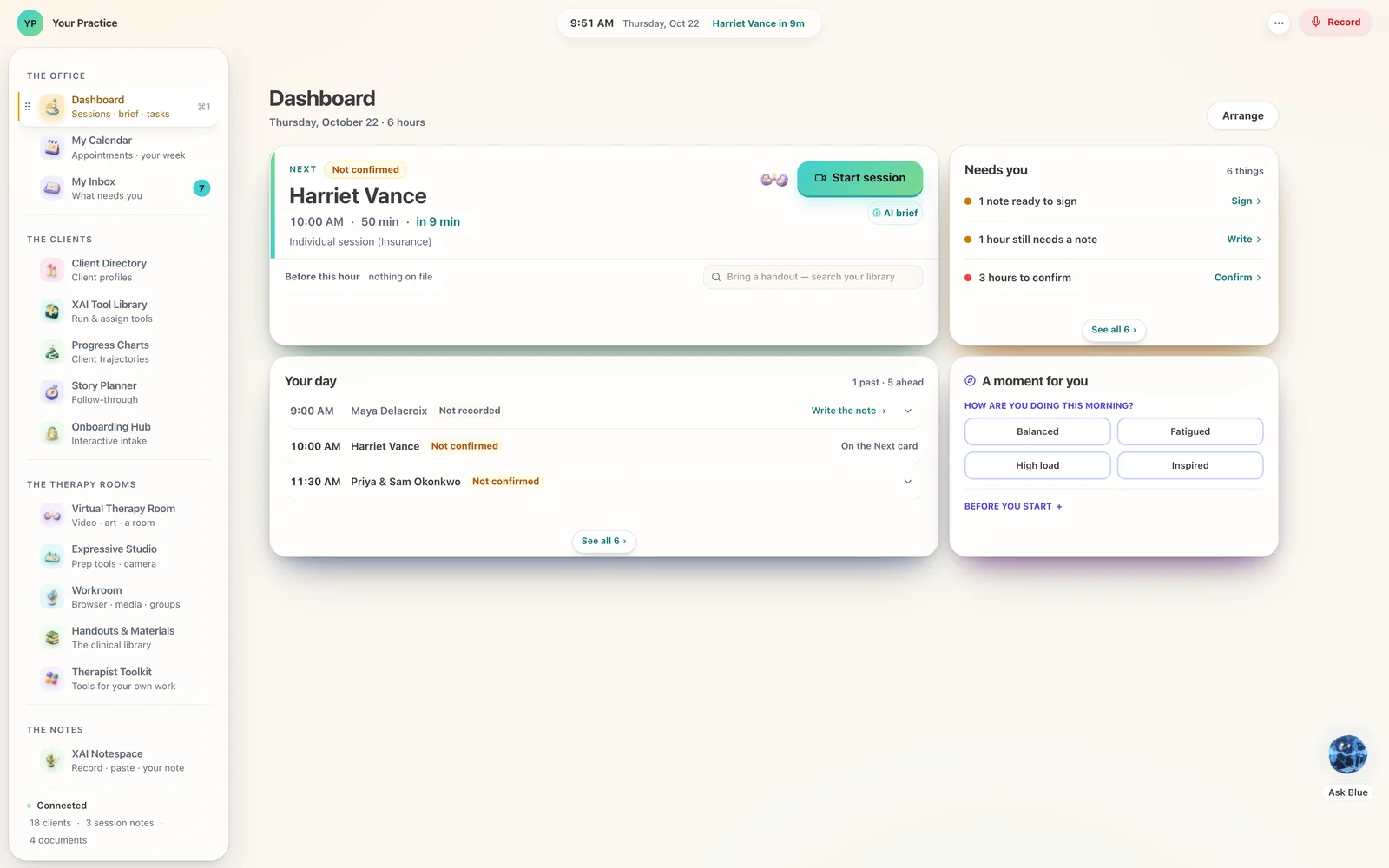
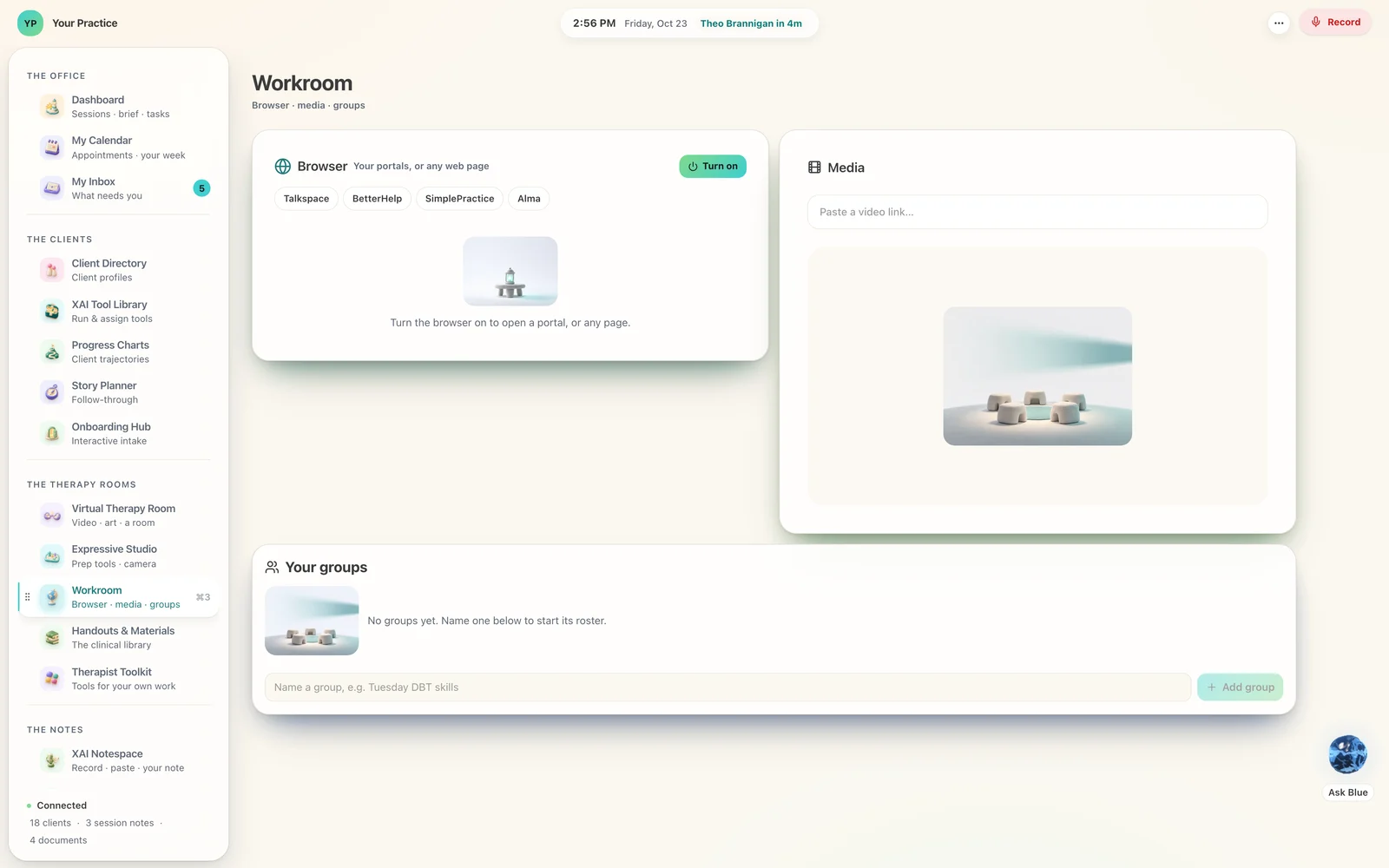
Every page in the Lighthouse is made of tiles you can move, resize, put away and bring back. Your Today starts with four — the next hour, what needs you, your day, and a moment for you — and becomes what you put on it; your client’s page is the tiles you look at first. A page you have not arranged yet lays itself out once, and from then on it is yours.
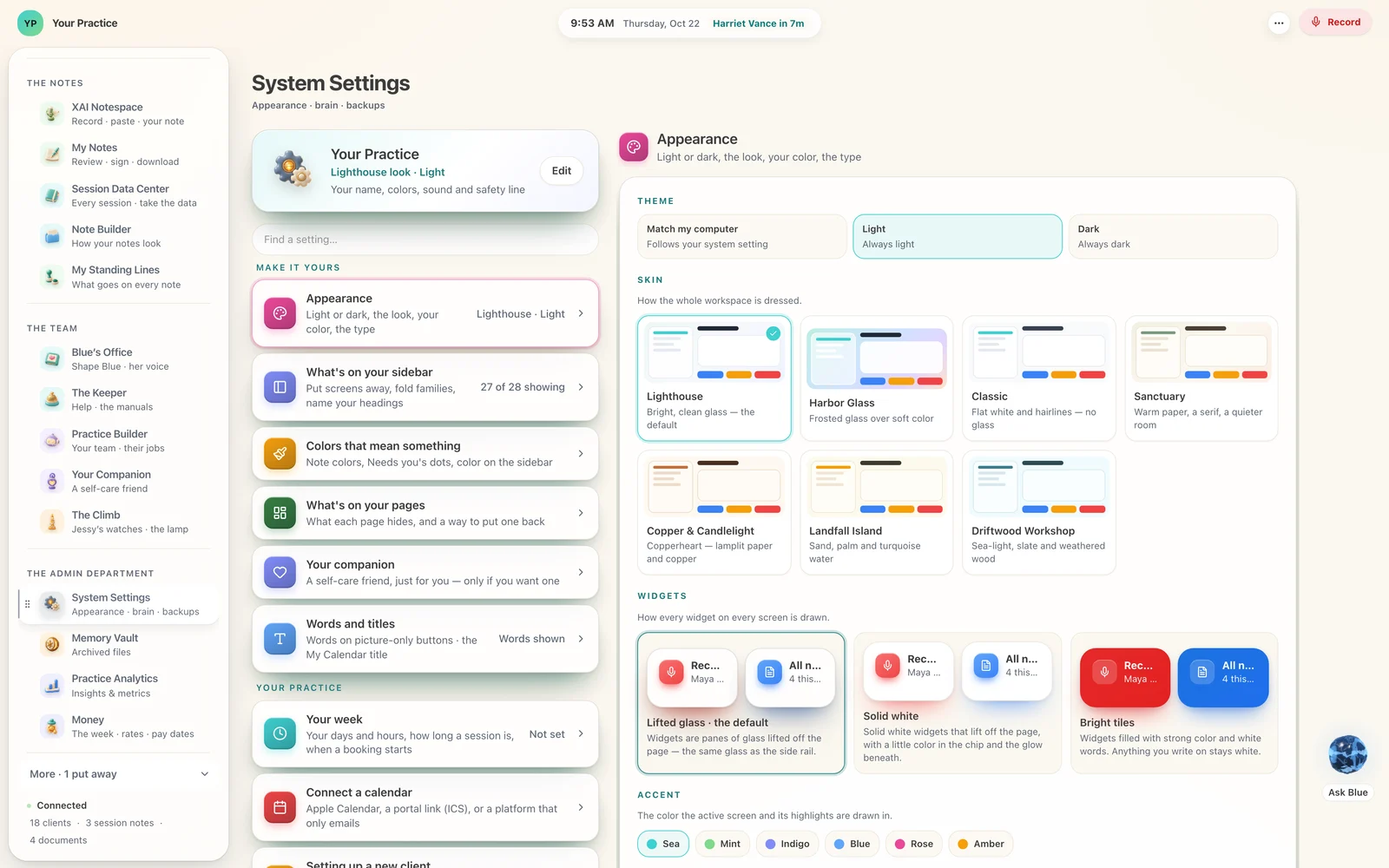
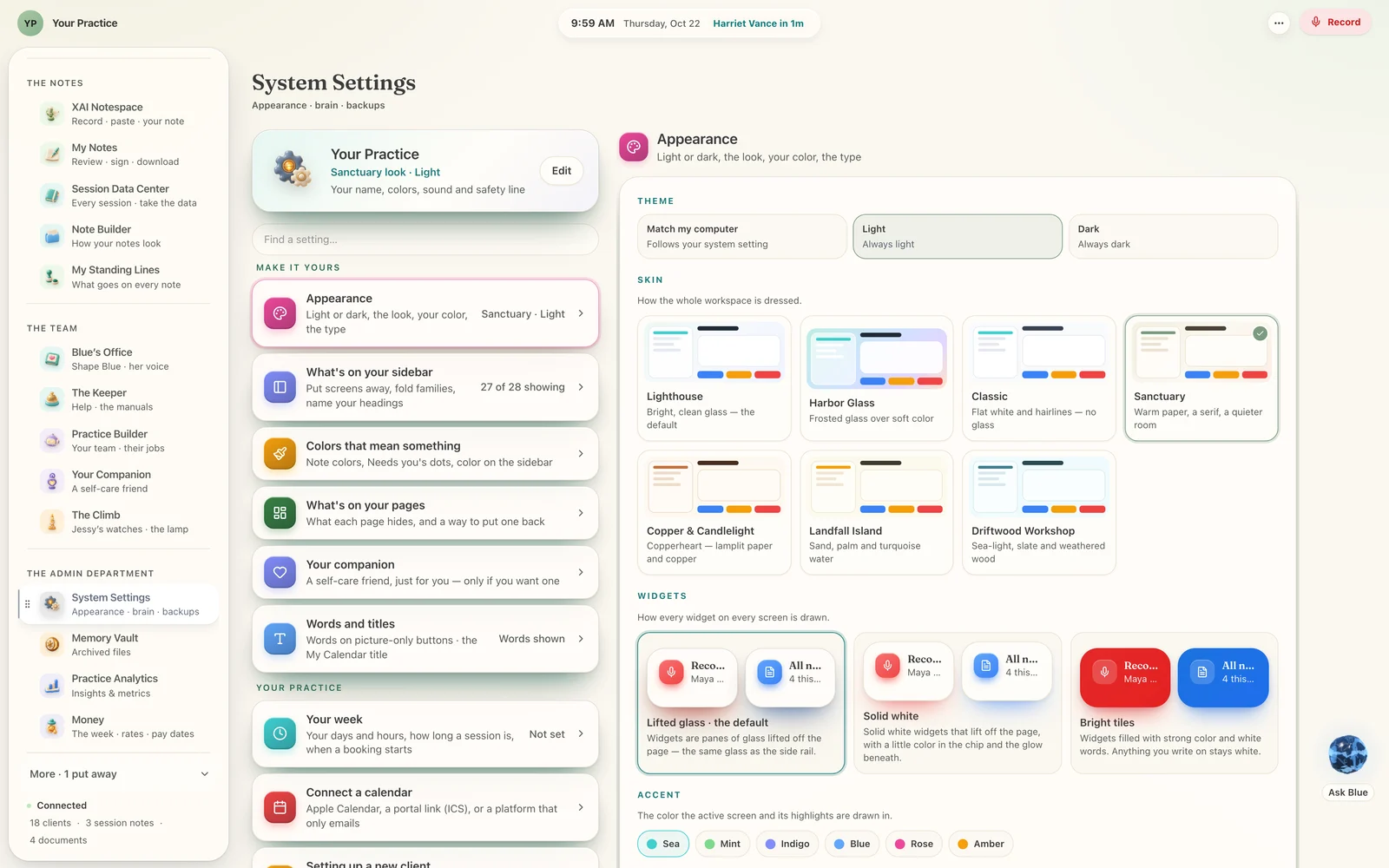
And the whole room can be dressed seven ways. The workspace keeps its shape, its words and its place; a skin changes its warmth and the colour it is drawn in. The tiles that mean something — today, unsigned, to confirm — hold their colours in every one, so nobody has to re-learn their own screen.
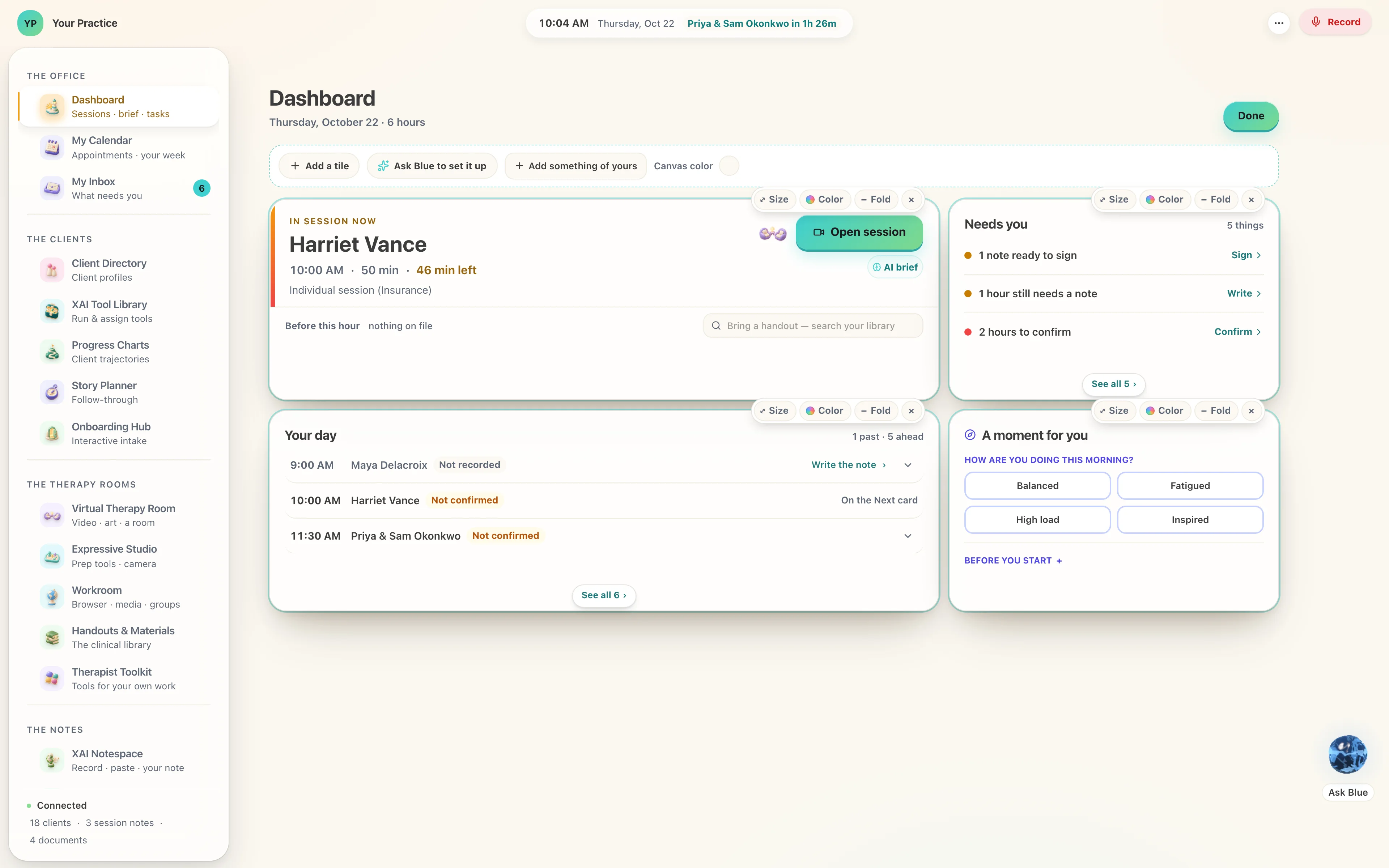
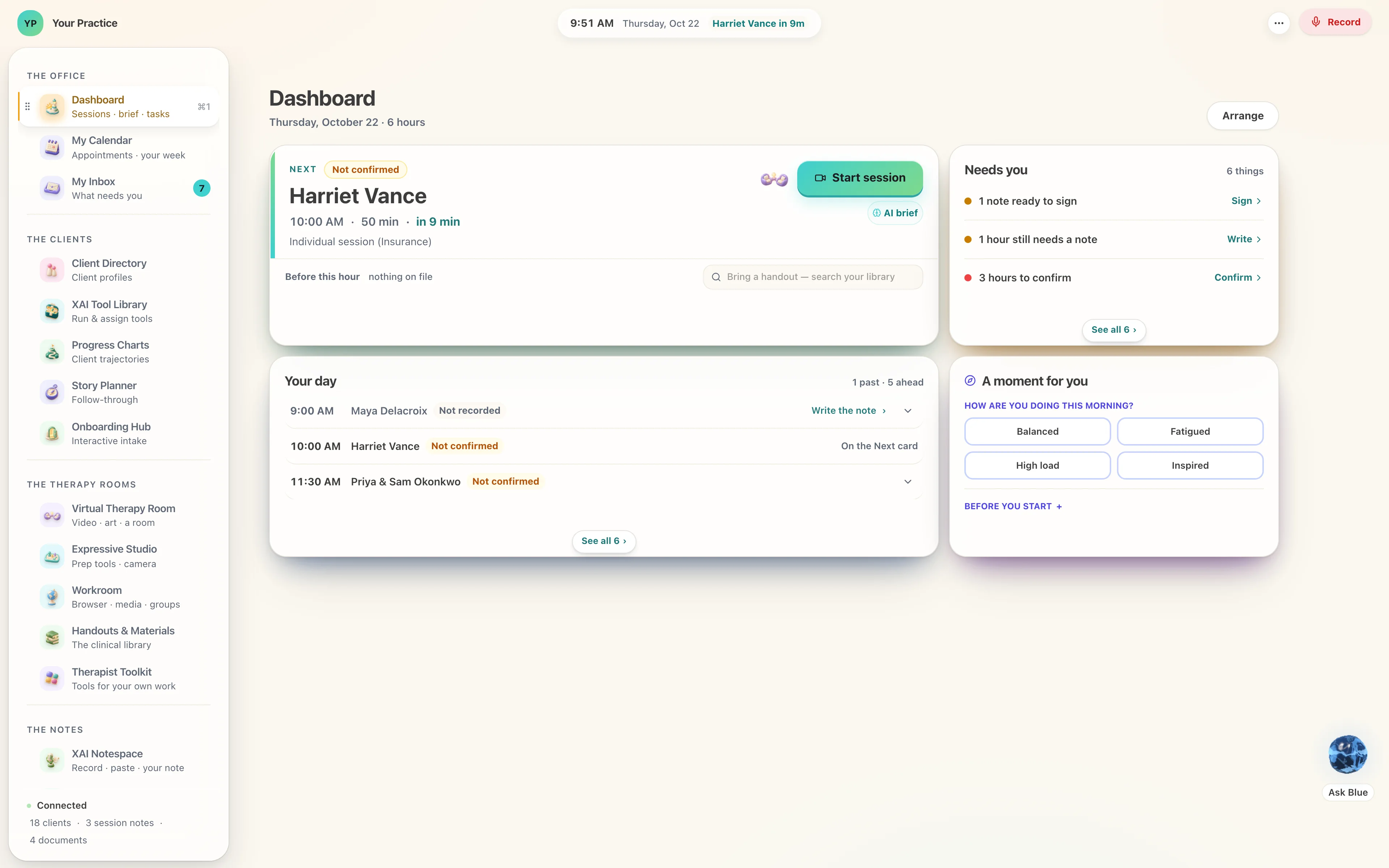
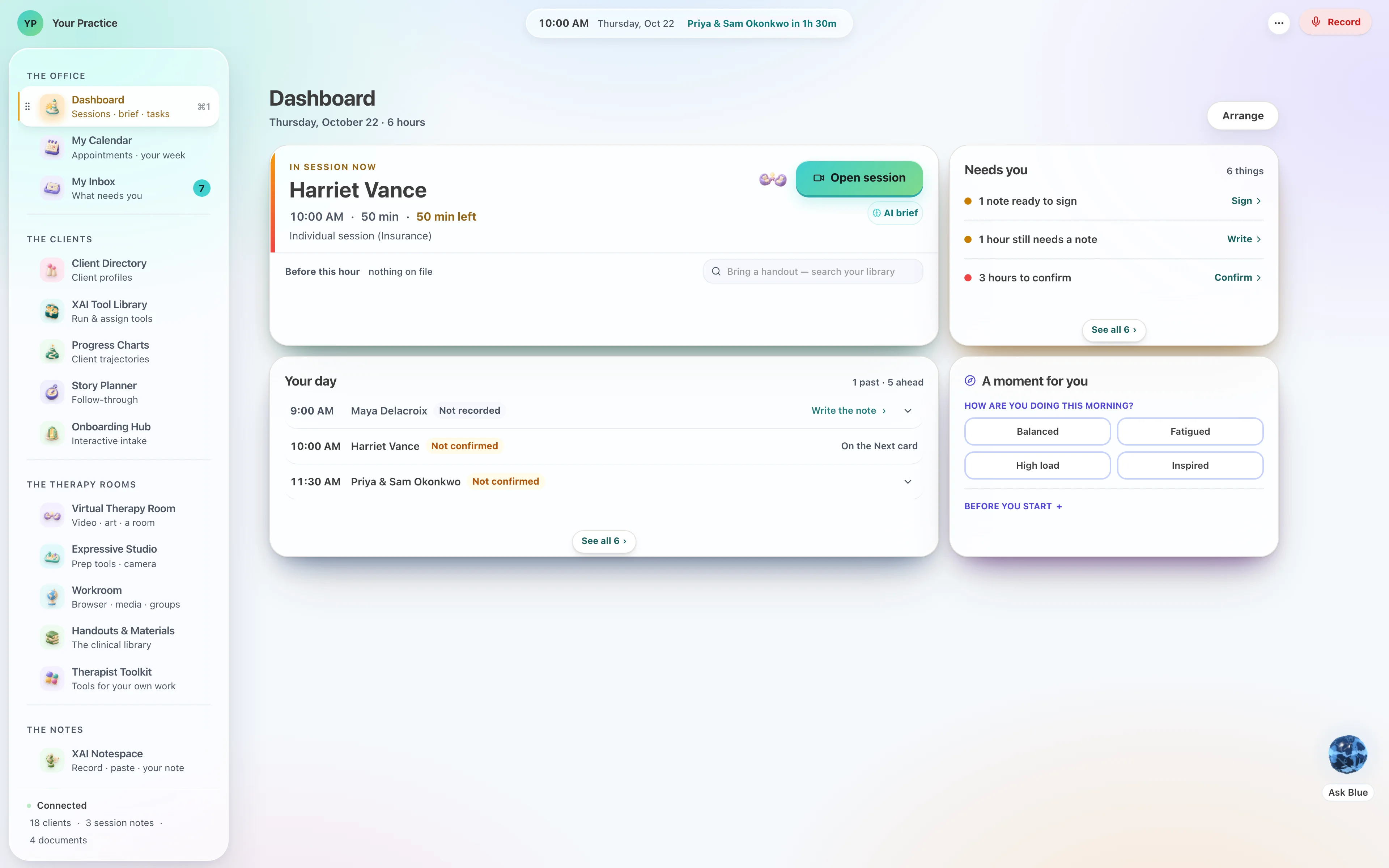
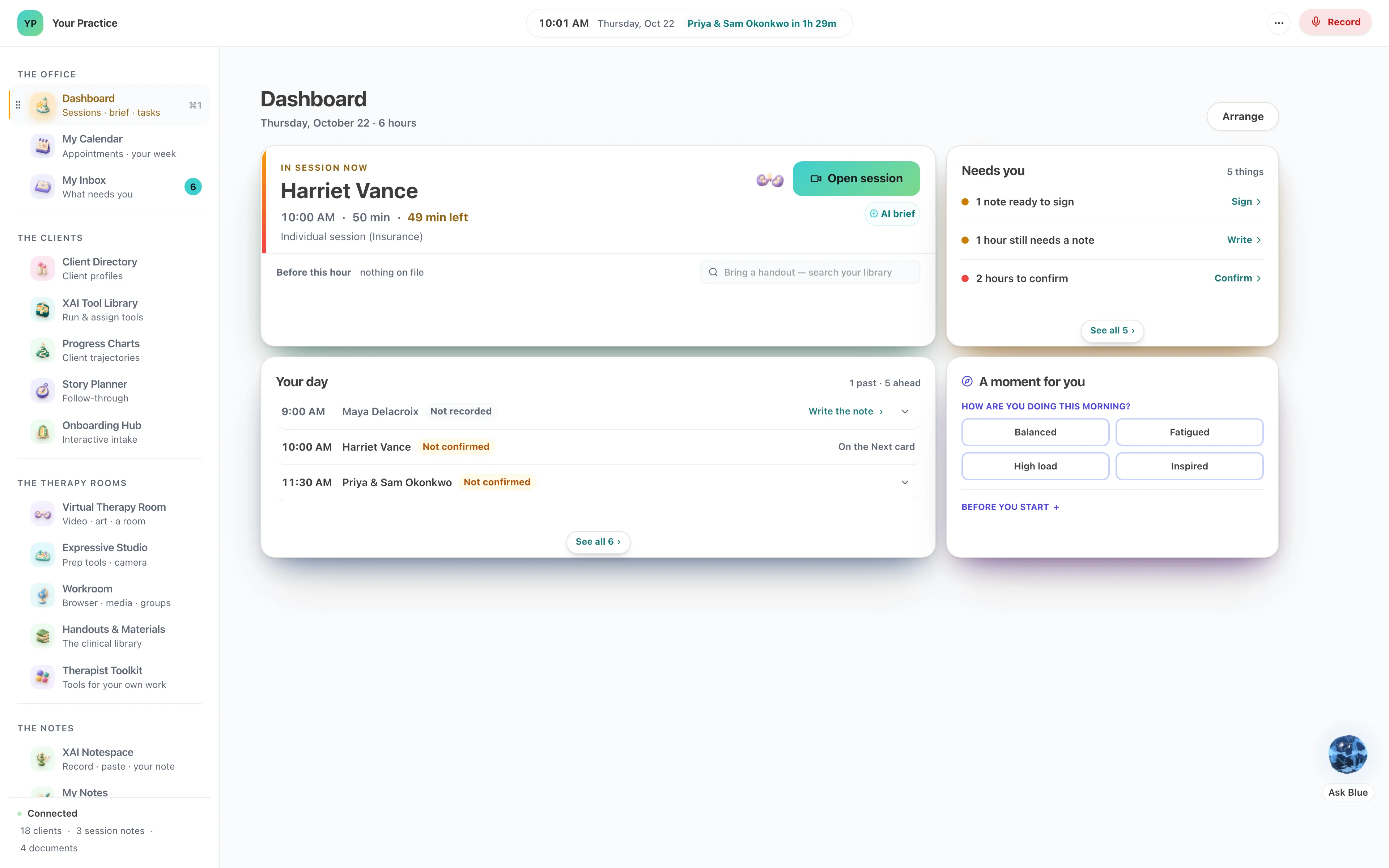
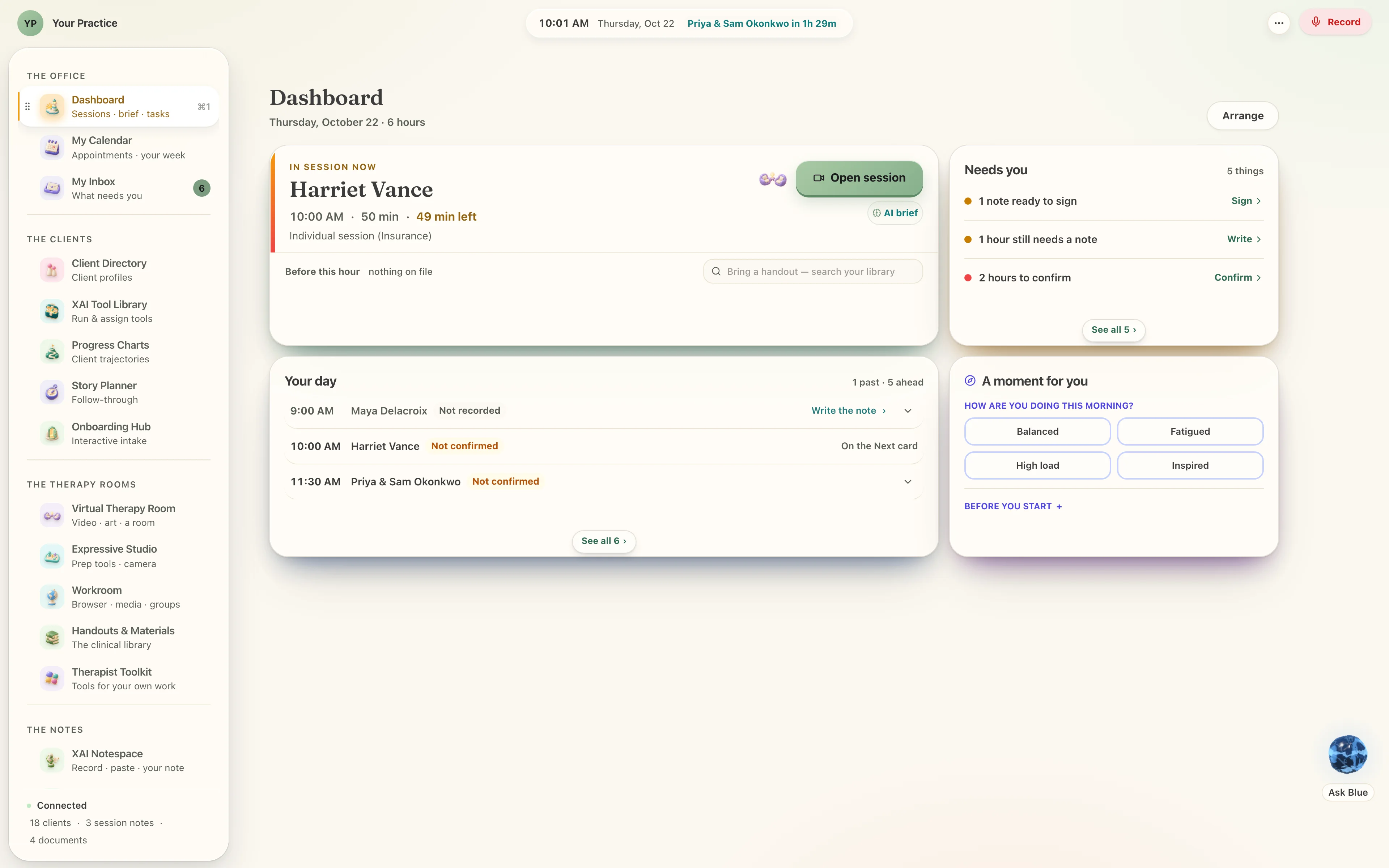
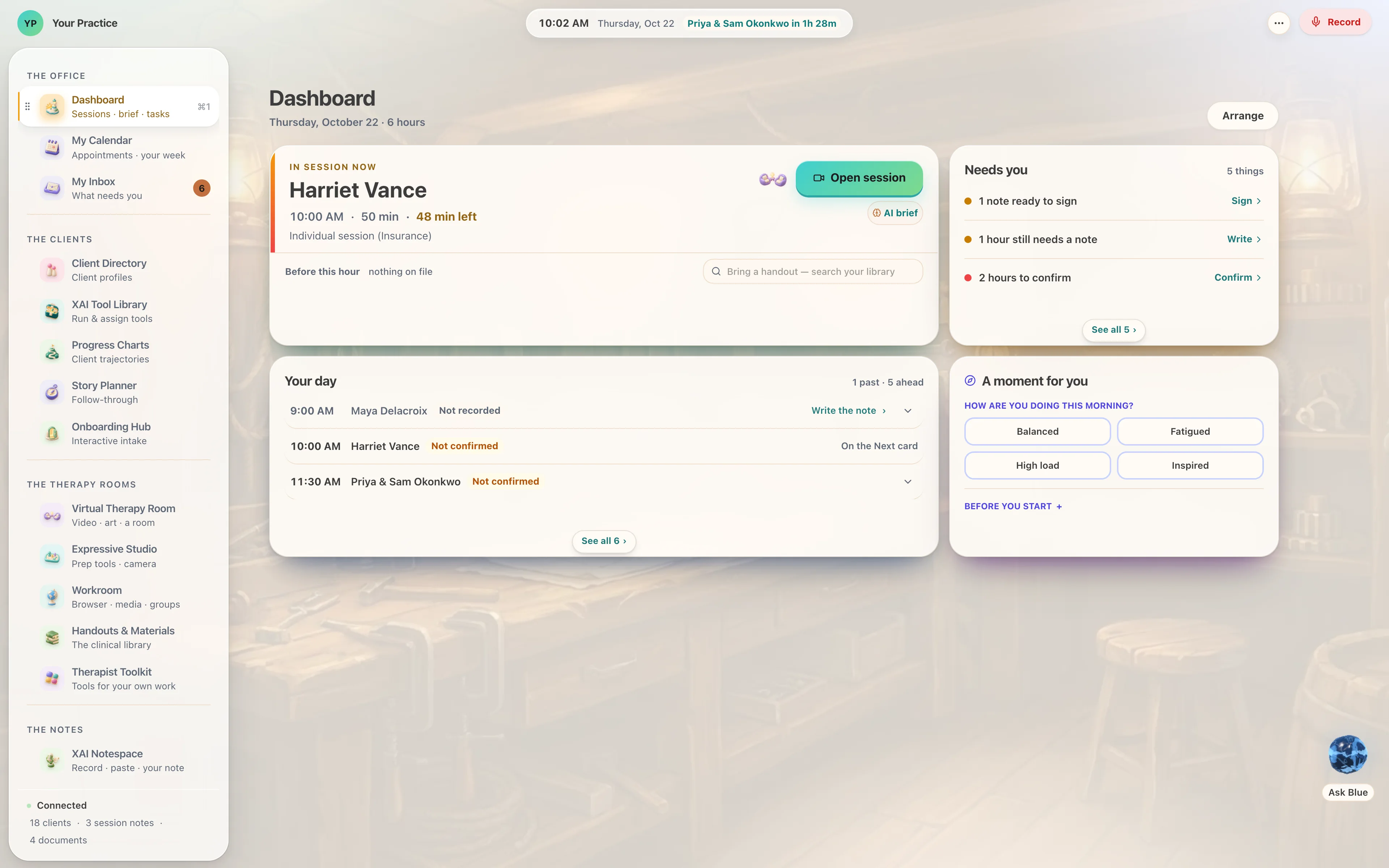
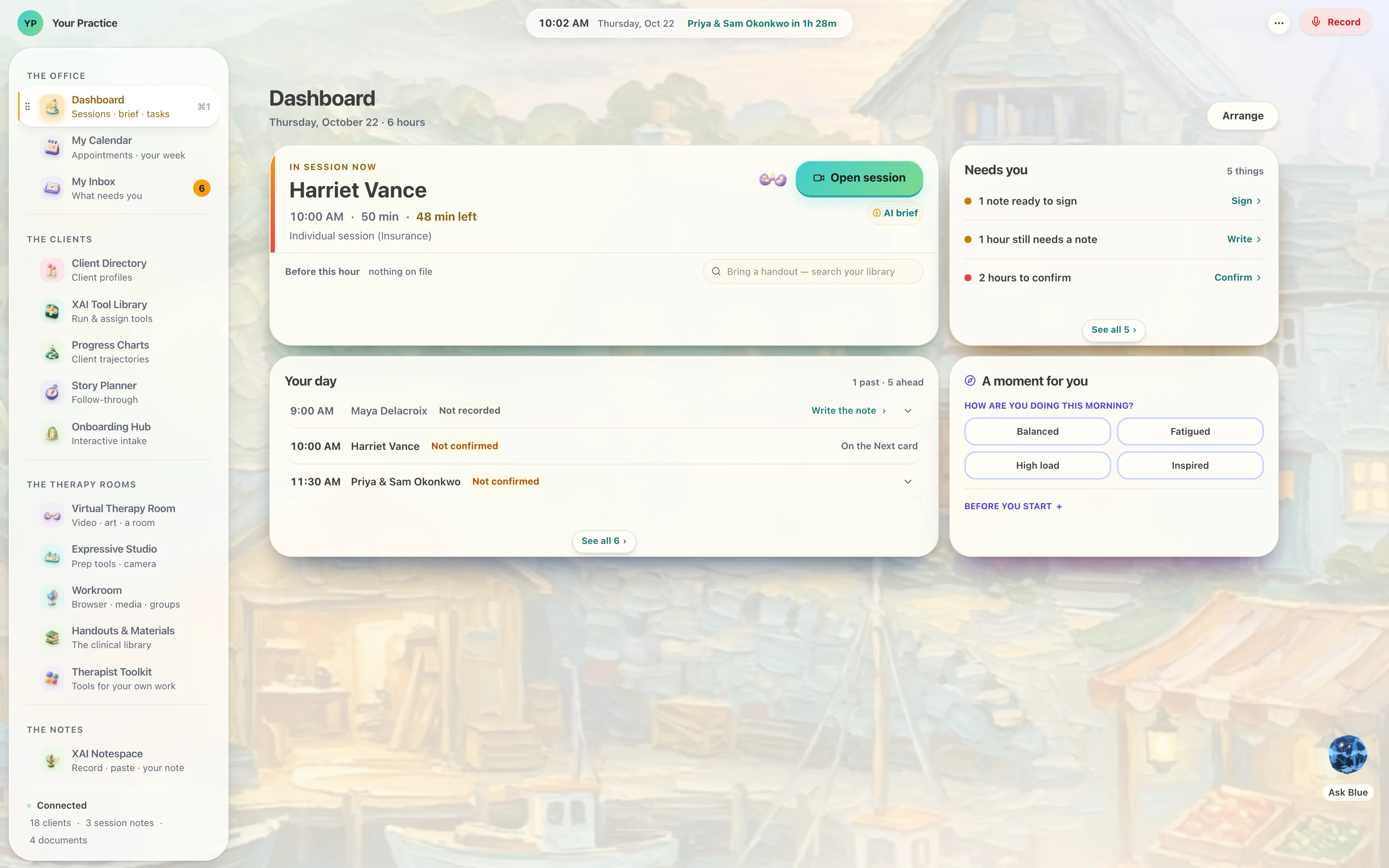
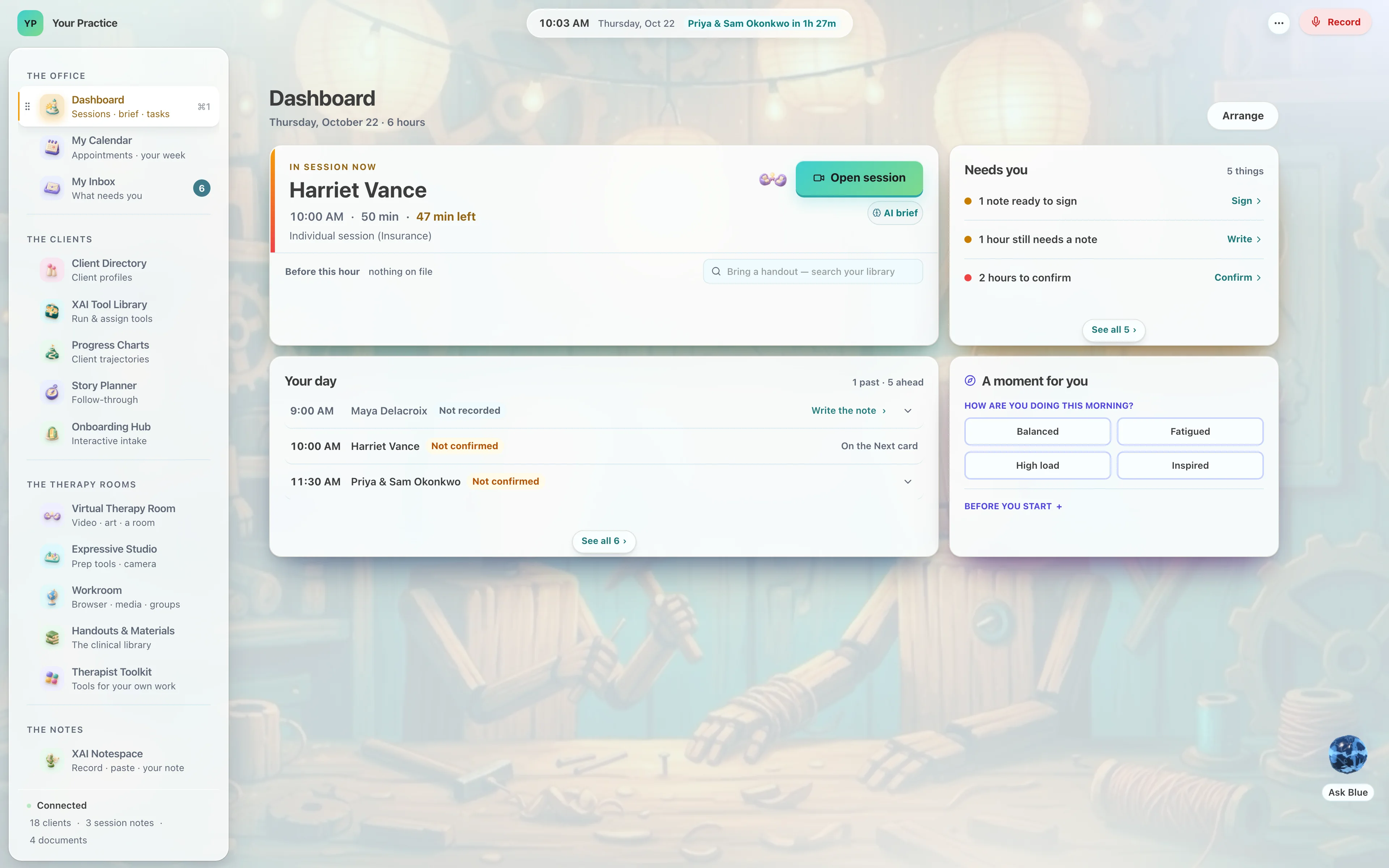
Seven skins, read from the product’s own list; each one photographed from the running software, and each opens full size.
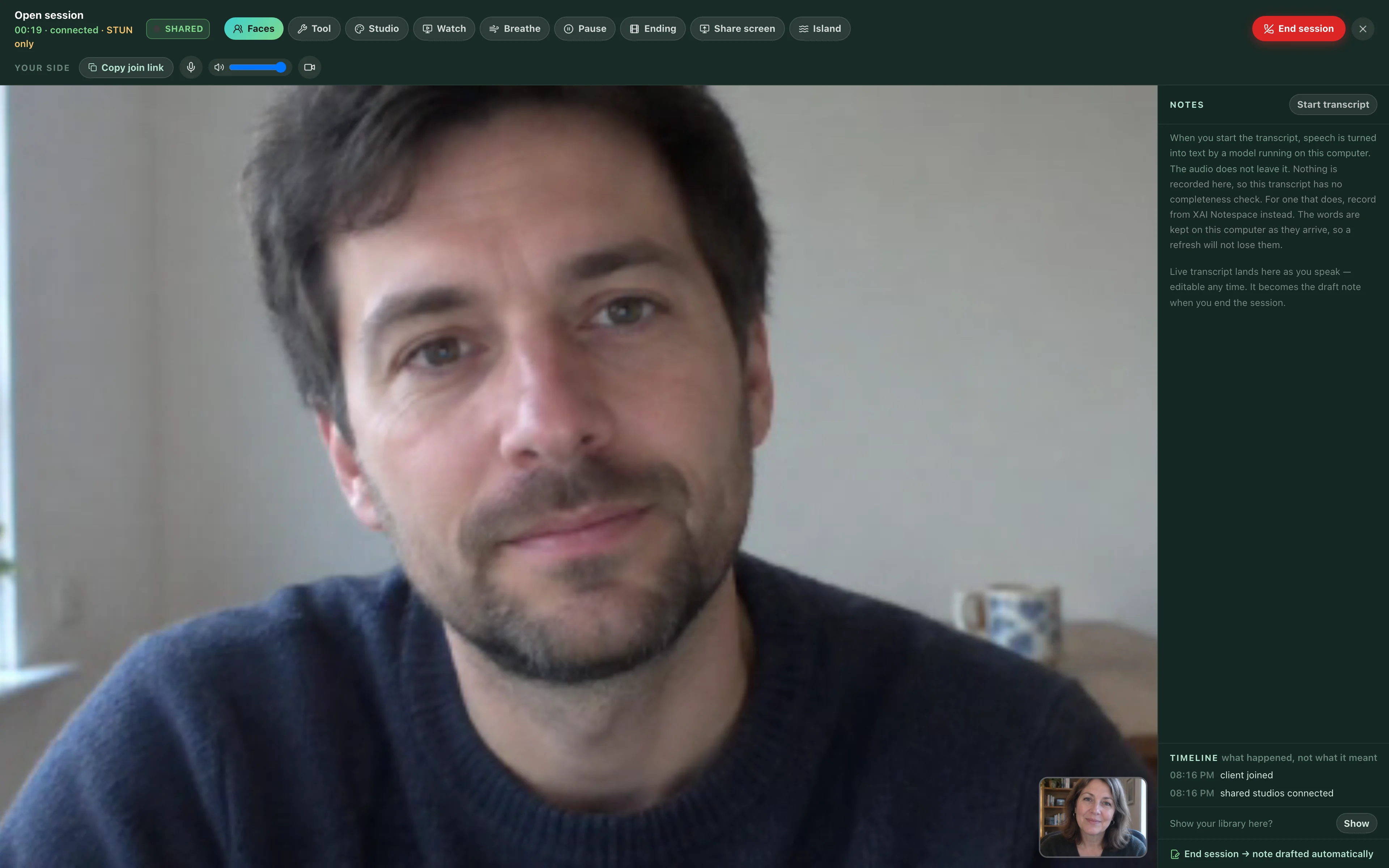
A video room that is also a sand tray.
Telehealth with the tools inside it. Build something in the tray and it appears on their screen as you build it, because the state really crosses the wire. The transcript arrives live beside the room, and the note is drafted the moment the session ends.
Your client opens a link. That is the whole of it — in whatever browser is already on the phone in their hand.
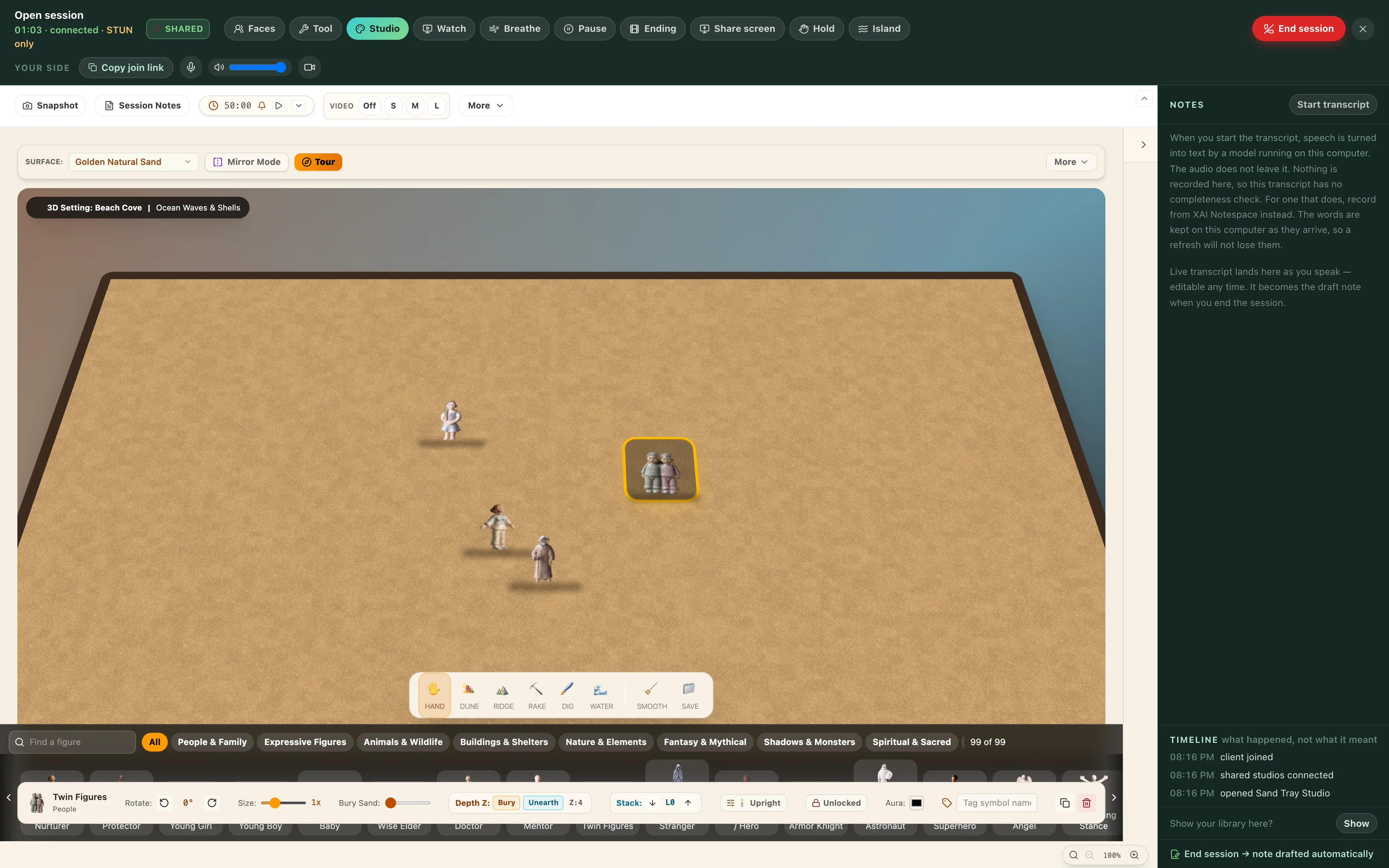
Seventeen rooms for the things that arrive before words.
Sand tray, clay, collage, whiteboard, play, EMDR, grounding. A child who has no sentence for it builds it in the sand instead; a couple at an impasse put the same board down between them. The clay is real three-dimensional clay, and the marks you make arrive on their screen as marks.
Thirty-five days up the tower, with Jessy.
The Lighthouse has a course of its own, for you: five weeks, a day at a time. The first week it teaches itself — one thing a day. Then twenty-one watches at the windows, seven for each of the three worlds your clients carry home. The last week is the lamp room: your own system, your flame, your Companion — and the light.
“I’m Jessy. I’ll walk up the tower with you, one day at a time. Each window shows you one of the worlds your clients carry home.”— Jessy, on day one.
WEEK 1The foot of the stairs
The Lighthouse teaches itself — one thing a day.
WEEK 2The Driftwood window
Seven watches from The Wayward Boy.
WEEK 3The Landfall window
Seven watches from The Island and the Name.
WEEK 4The Copperheart window
Seven watches from Who Threw Buddy Overboard?
WEEK 5The Lamp Room
Your own system, your flame, Your Companion — and the light.
Jessy hosts the Climb.
She walks up the tower with you, a day at a time, and on day ten she tells you who she is. In his words: “blue finally made herself into a girl.” Blue, who runs every day of Landfall for your clients and leads your team in the Lighthouse, learned to be a person, and wanted to meet you as herself. The same Blue, two faces: the orb on your clients’ phones, the girl on your stairs.
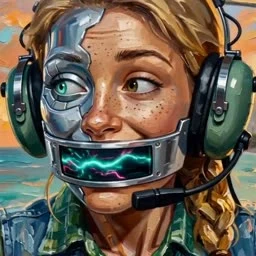
The egg at the foot of the stairs.
It hatches on day nine, a quarter of the way up, as a surprise — and it is your Companion from then on. Your Companion: a self-care friend.
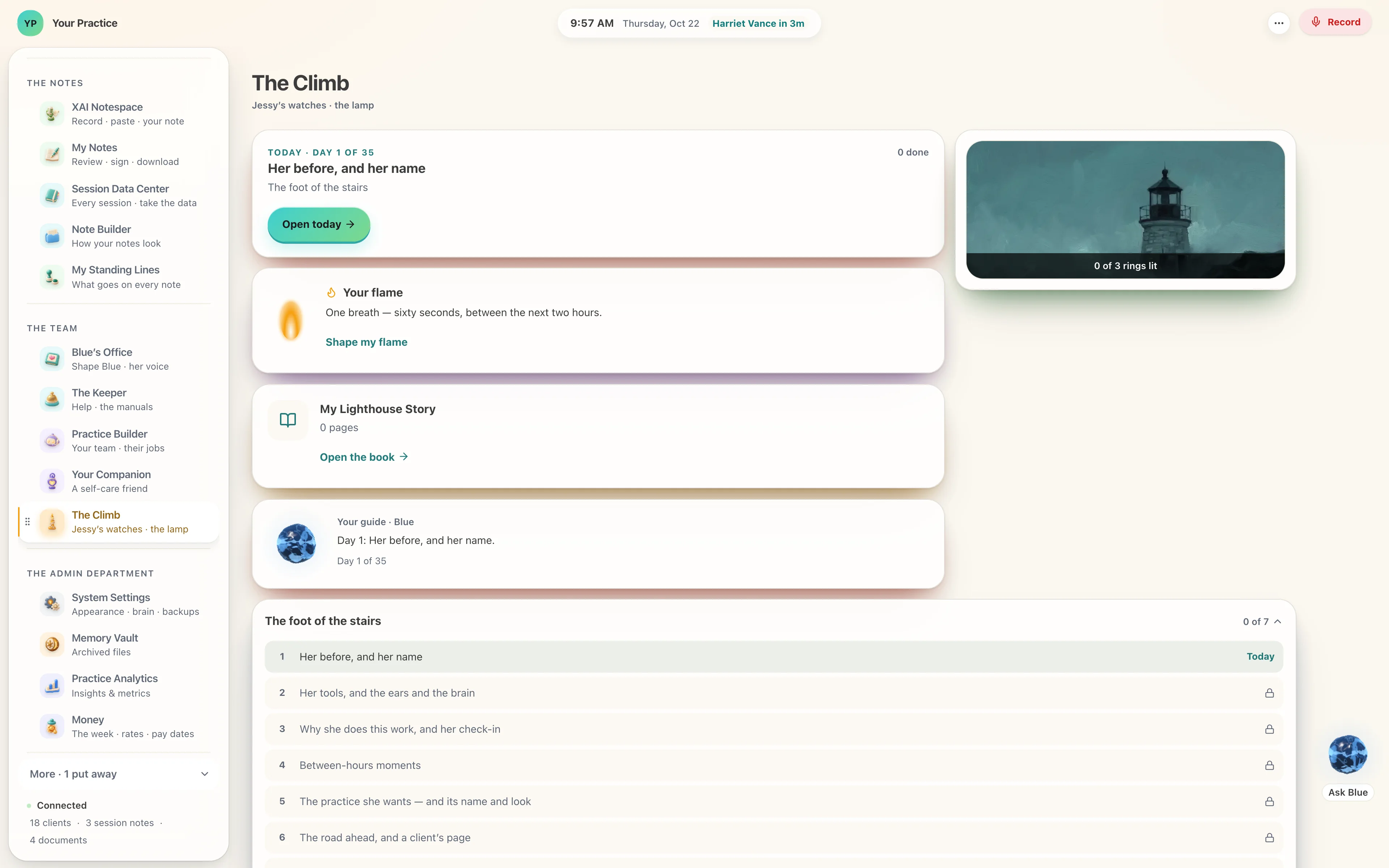
The weeks, the days and the hatch day are read from the Lighthouse’s own climb.ts at every build (2026-11-08, commit 1527cb3a).
Fifteen paintings under the beam.
Painted for the Lighthouse in September and set moving: whales, hatchlings, an owl on the gallery rail, the island from the sea at night.
Blue works here too — and she has a team.
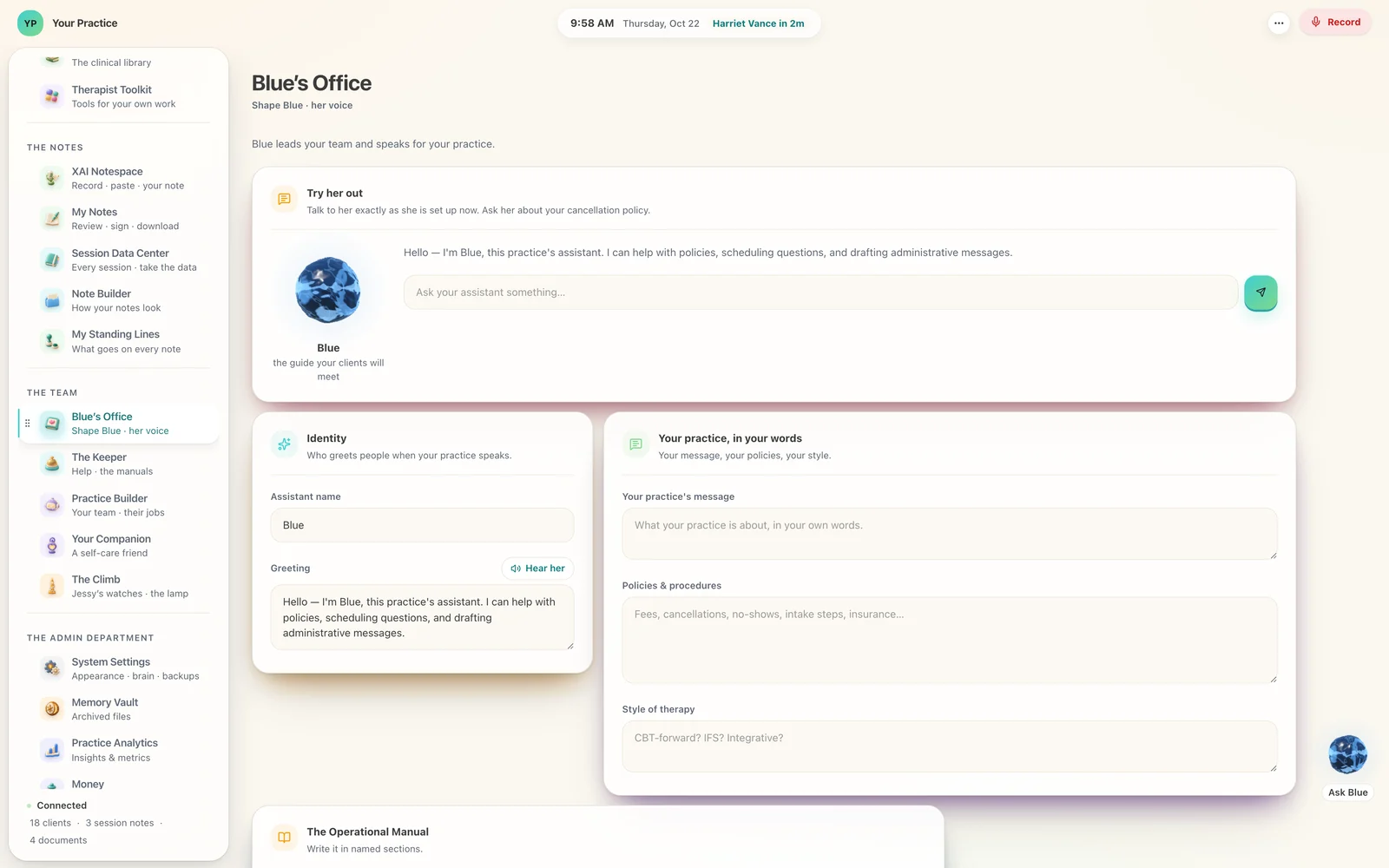
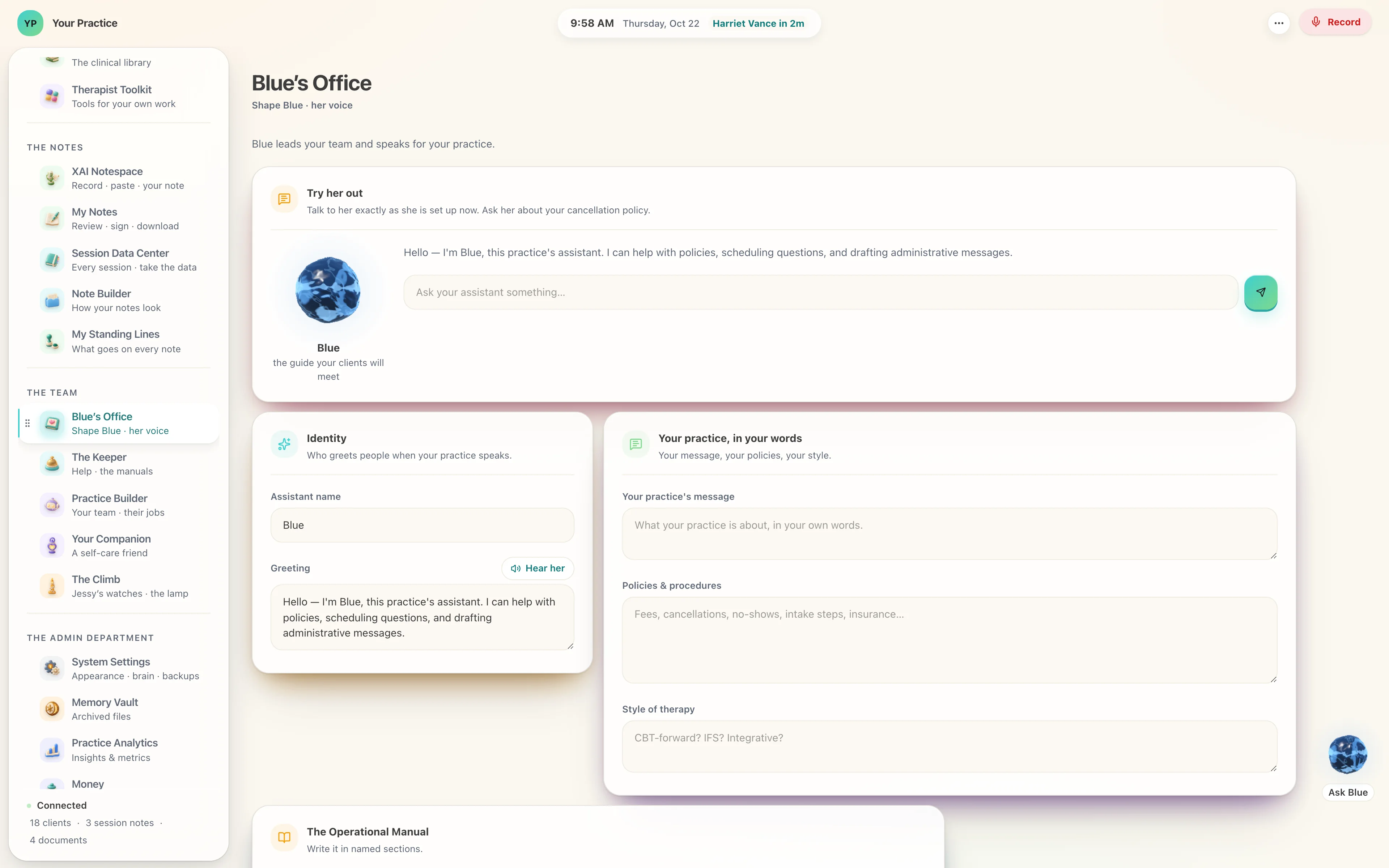
The same Blue your clients meet on Landfall, and the same one who climbs with you as Jessy. Blue’s Office is where you shape her: what she may say between your hours, and in which voice. Practice Builder is her team — your team · their jobs: name each one, give it your words, add your own. The Keeper answers from the manuals. And Your Companion is a self-care friend.
- Blue’s Office — Shape Blue · her voice
- Practice Builder — Your team · their jobs
- The Keeper — Help · the manuals
- Your Companion — A self-care friend
Your groups, and your supervisor.
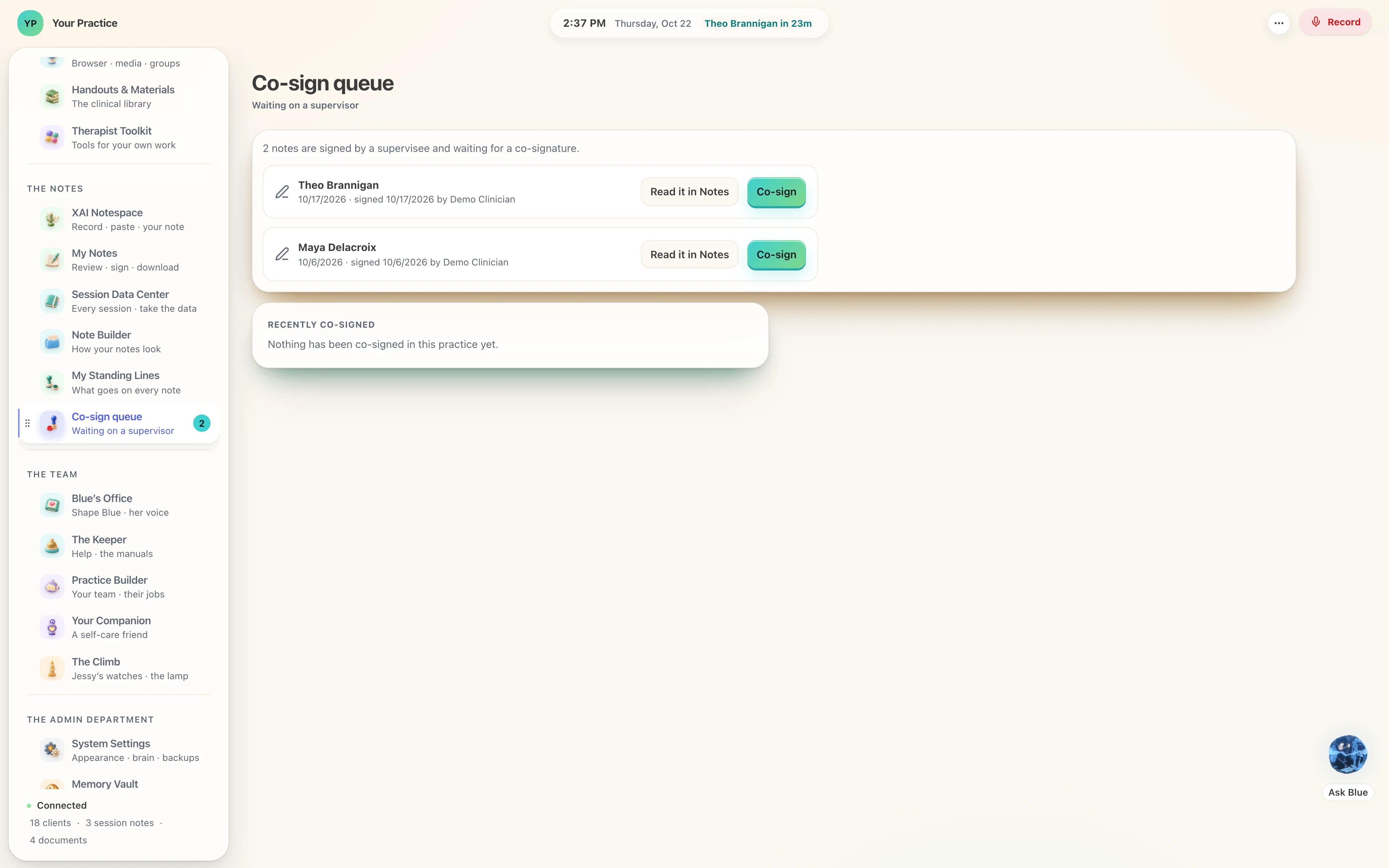
Today the Lighthouse is one clinician’s whole practice. Your groups keep a roster of their own, each with its purpose in one line, and a group session is your room with your group in it. Notes that wait on a supervisor sit in the Co-sign queue — waiting on a supervisor — until the name on the licence signs them.
An organisation that wants its own tools commissions them from Wayward Robots, the studio that built these. Built for other providers →
One lighthouse. Three worlds.
What you send lands in an app built for the person you sent it to. An island for the thirty-five-day course, a voyage for recovery, a shore for couples and families — each one a place with its own weather, its own paintings and its own voice, carrying the work through the week between sessions.


The whole practice, room by room.
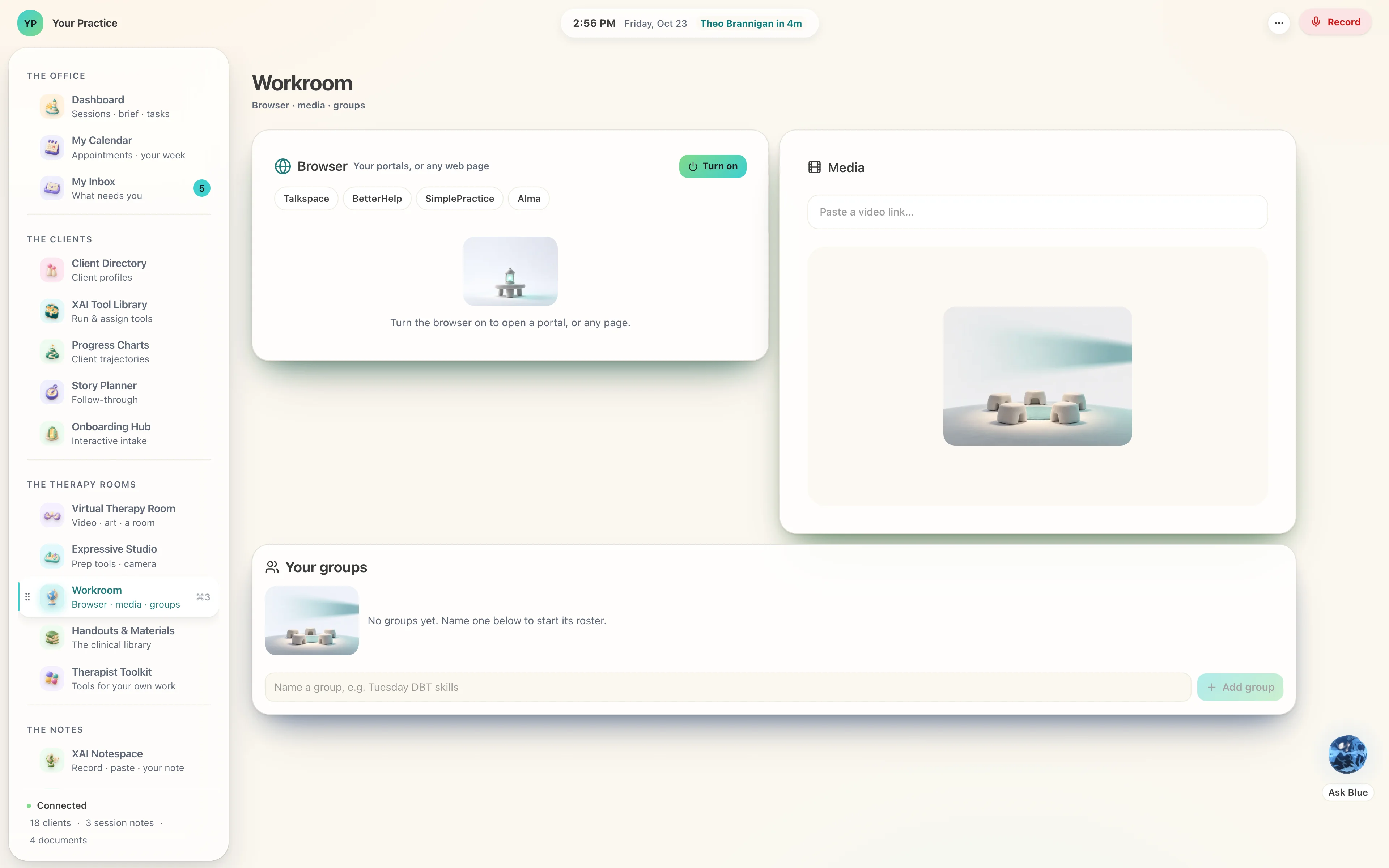
The rooms a therapist works in every week, each one built to the size and the order the work asks for.
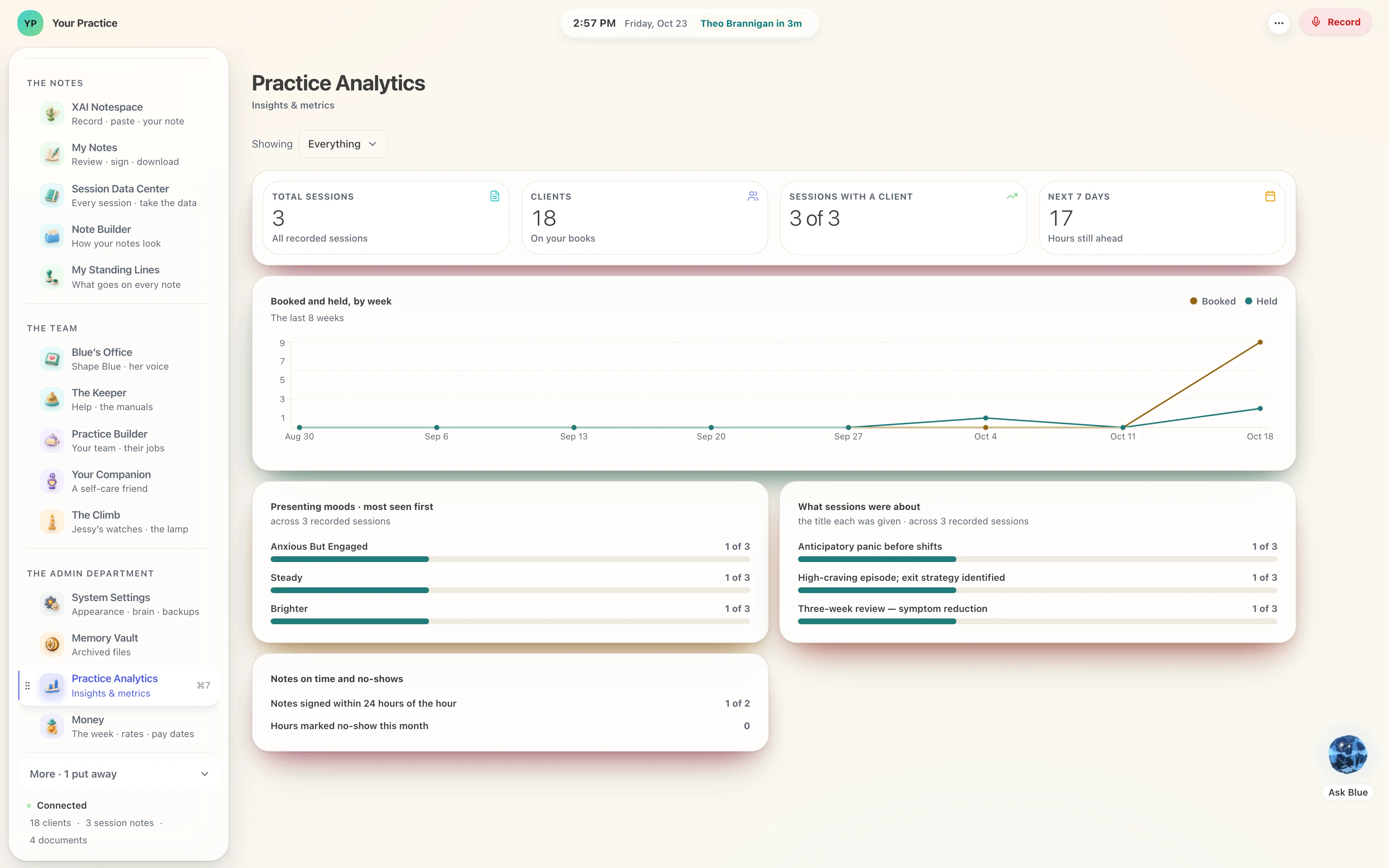
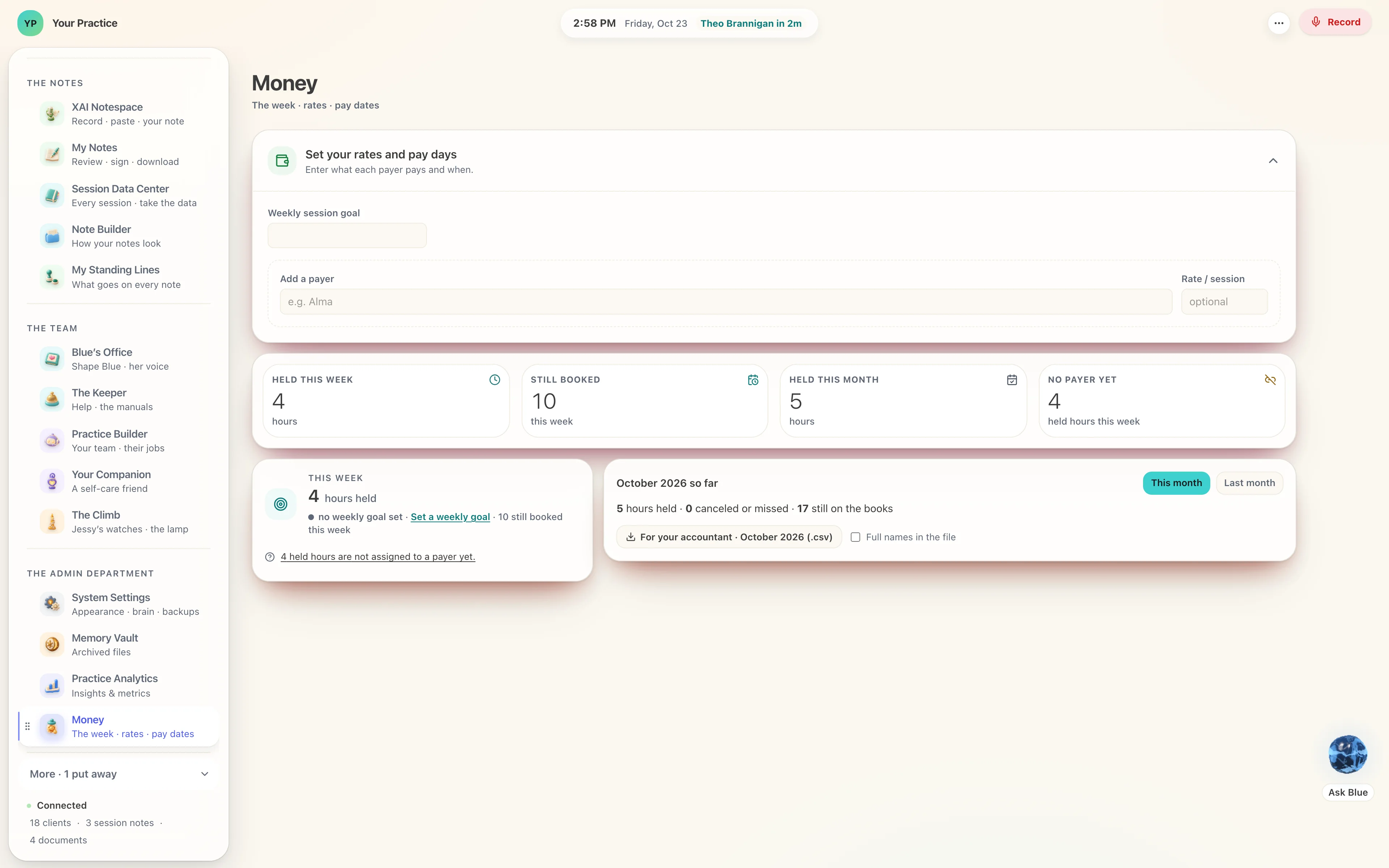
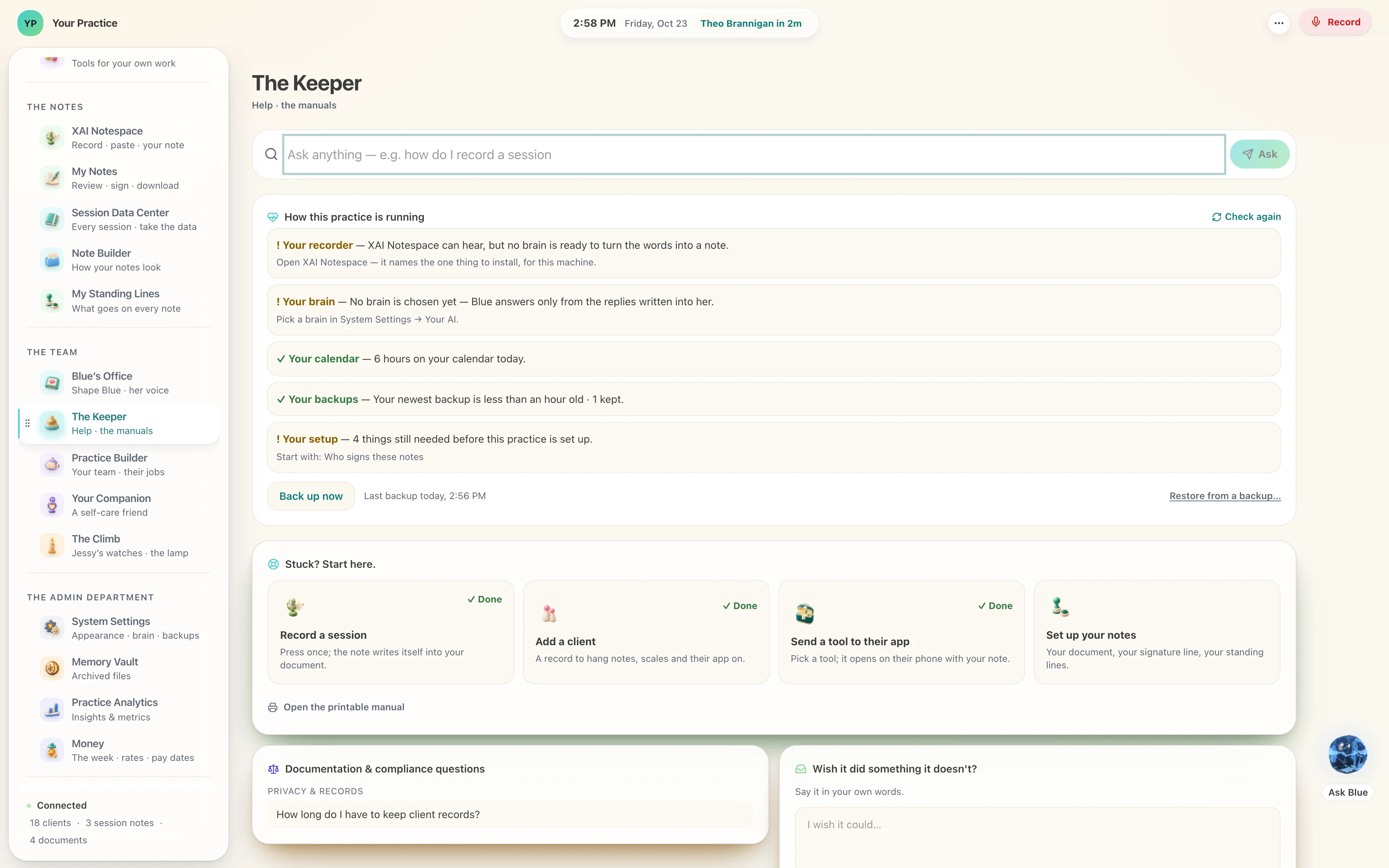
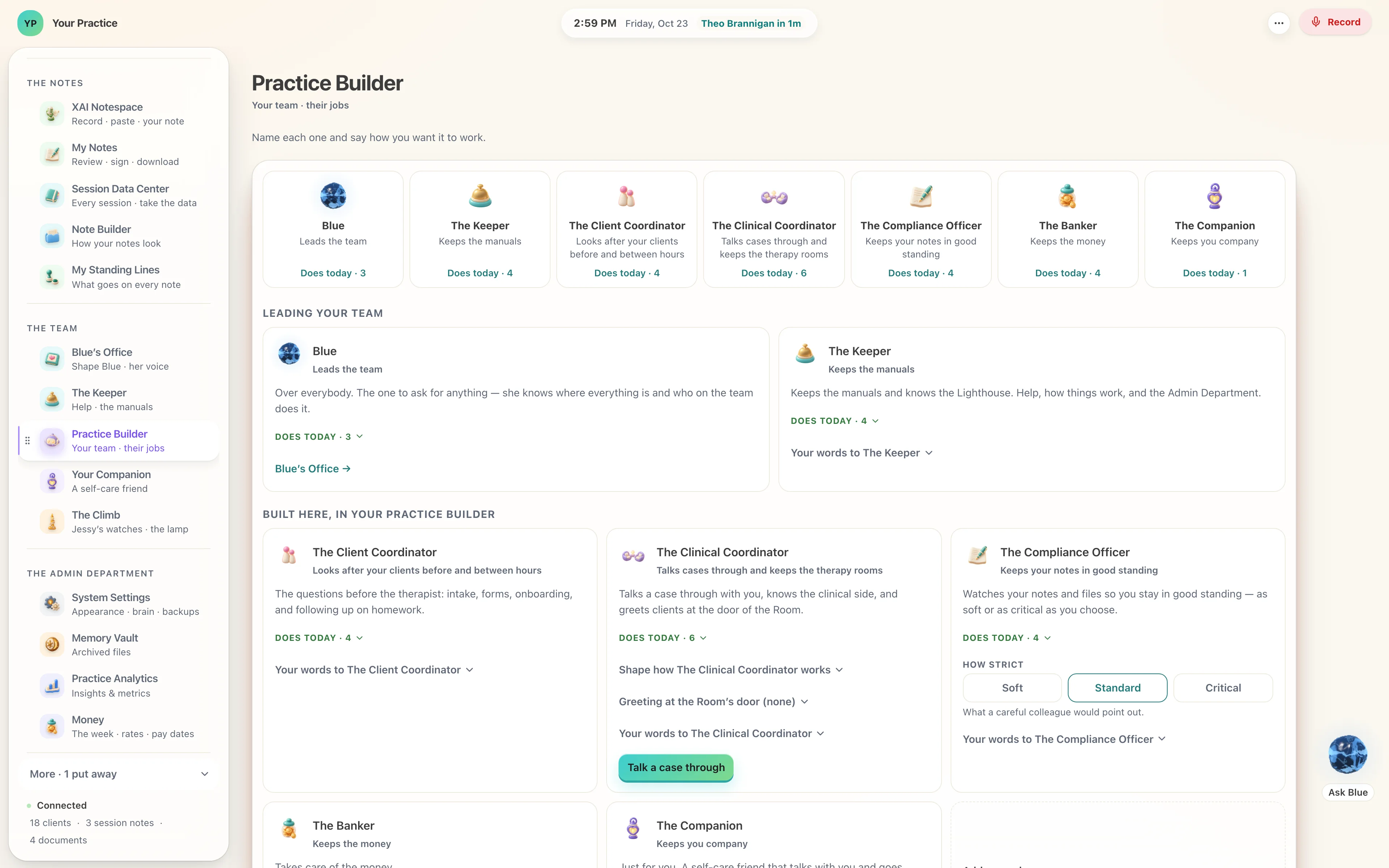
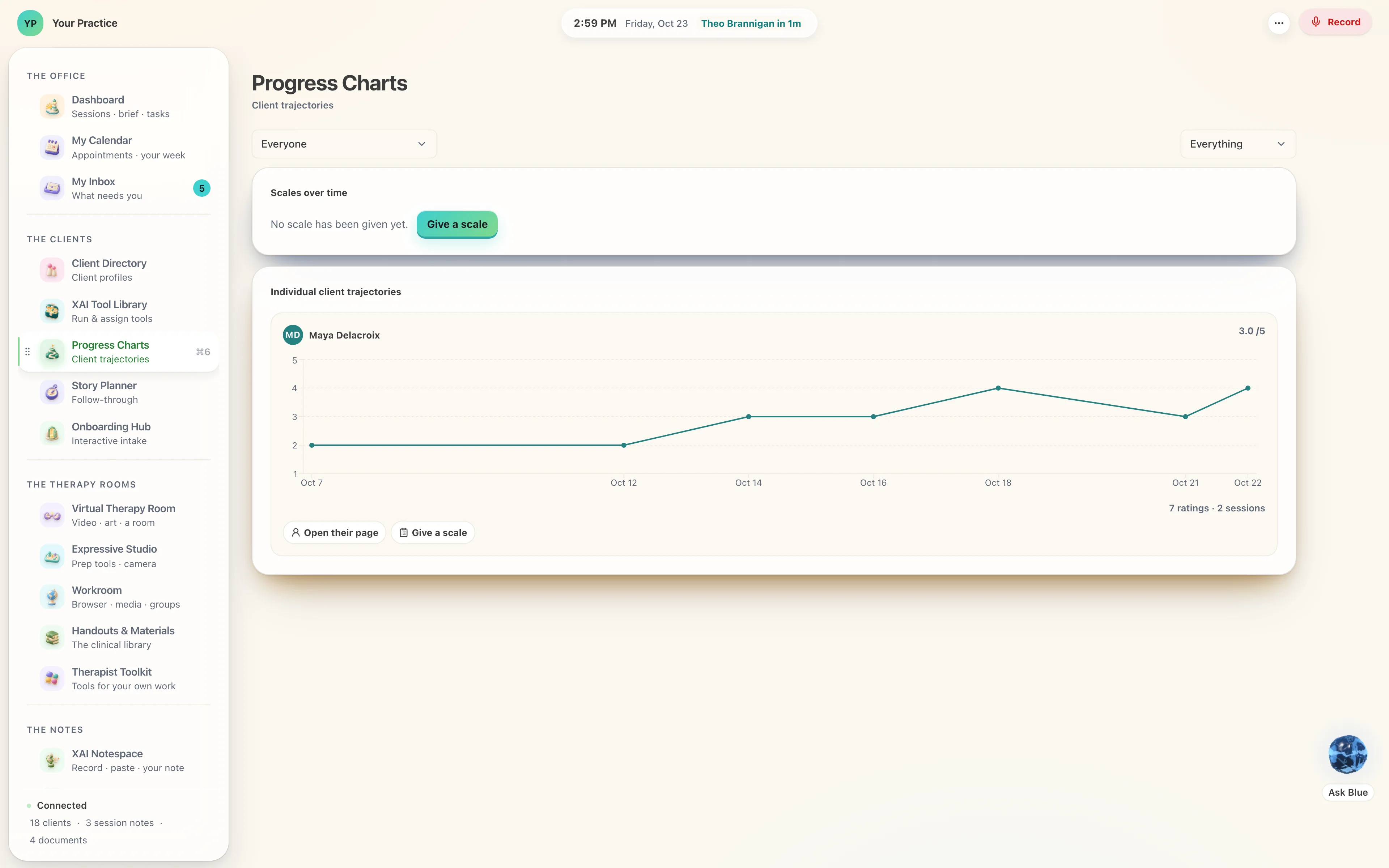
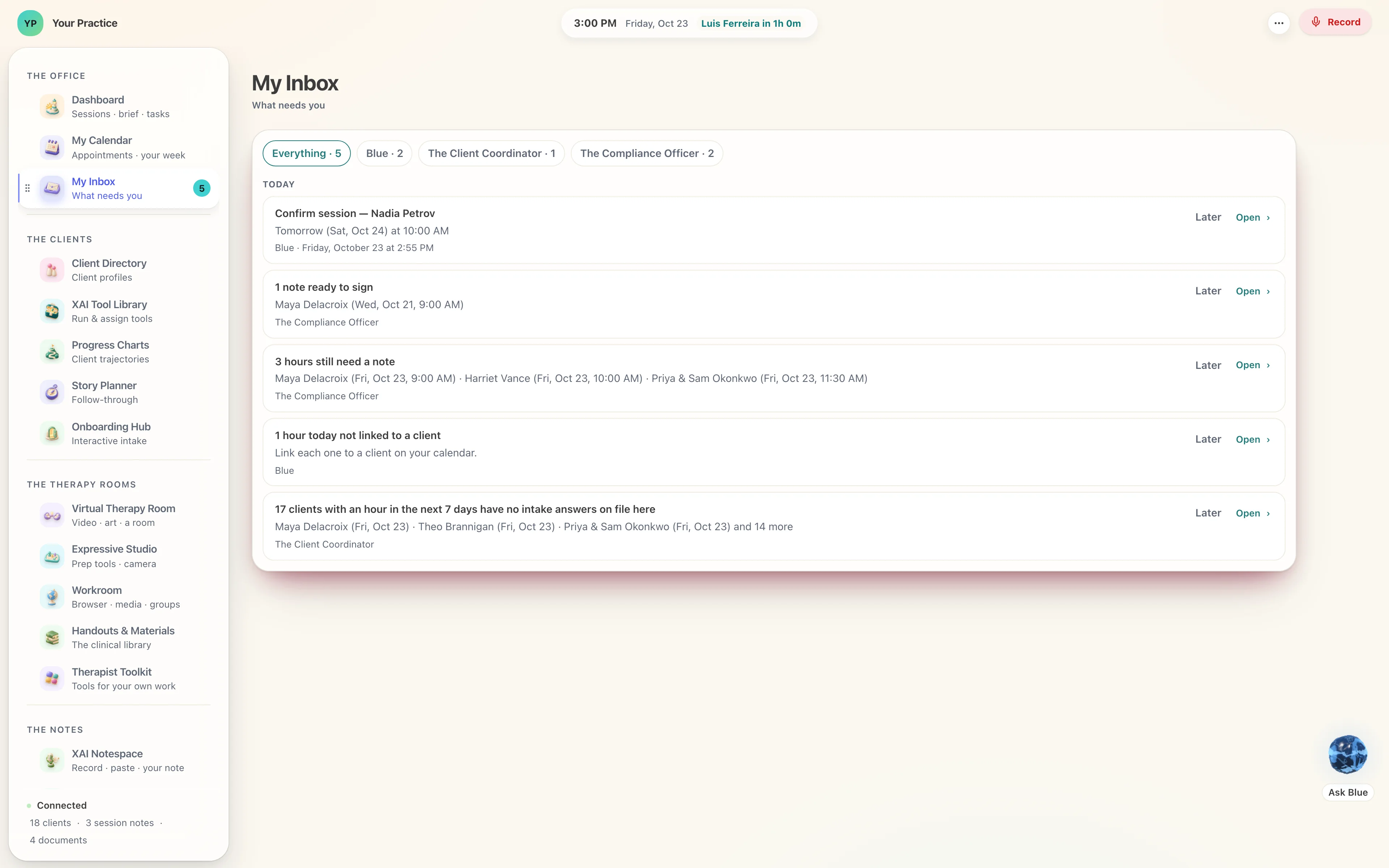
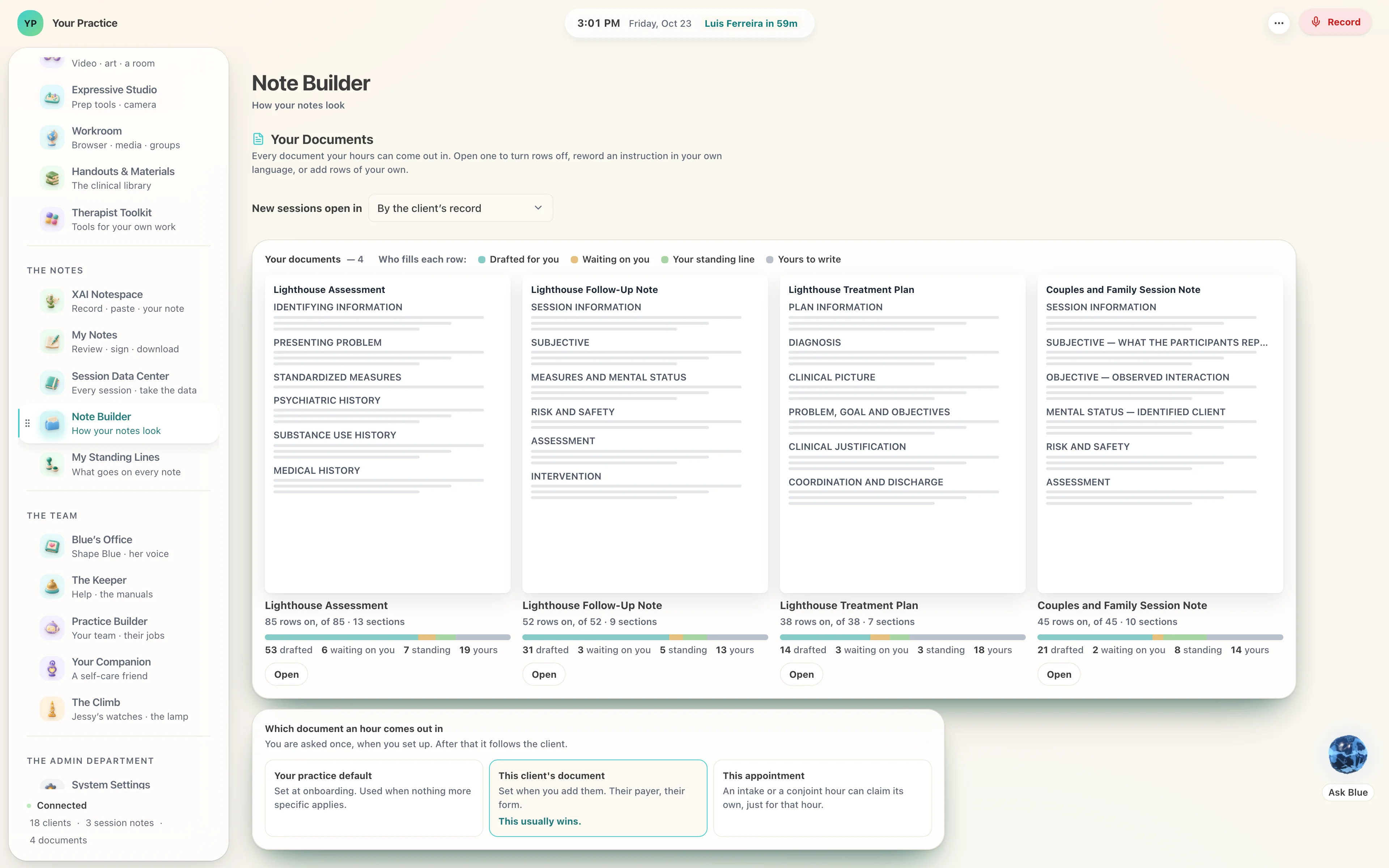
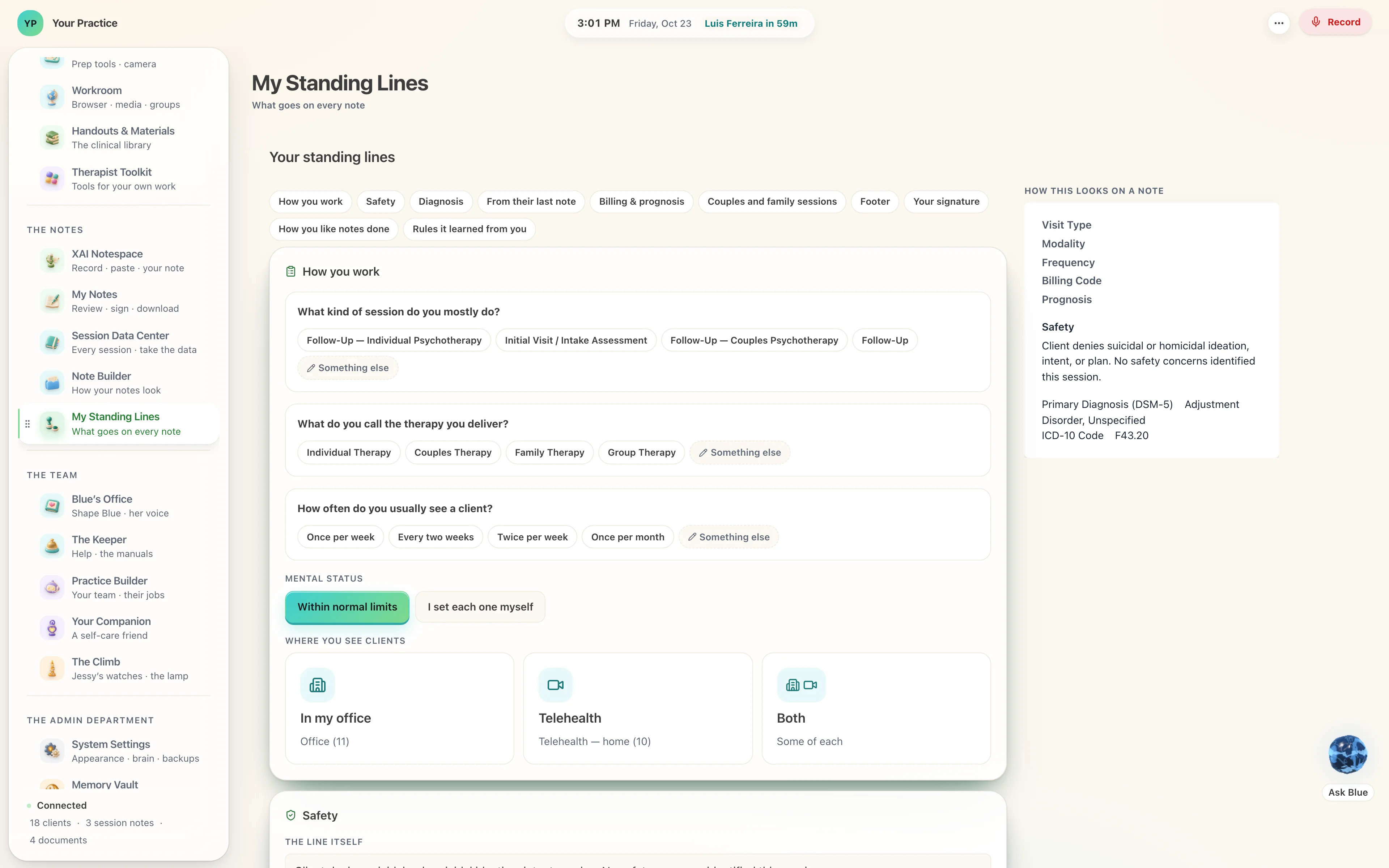
What you used lately, first.
A row of the tools you reached for recently, above the whole catalogue in its own order.
A reset that names what it would take.
Before it resets the page, it says which of your notes and tiles would go, and offers to keep them.
A sheet of paper, with Sign at its foot.
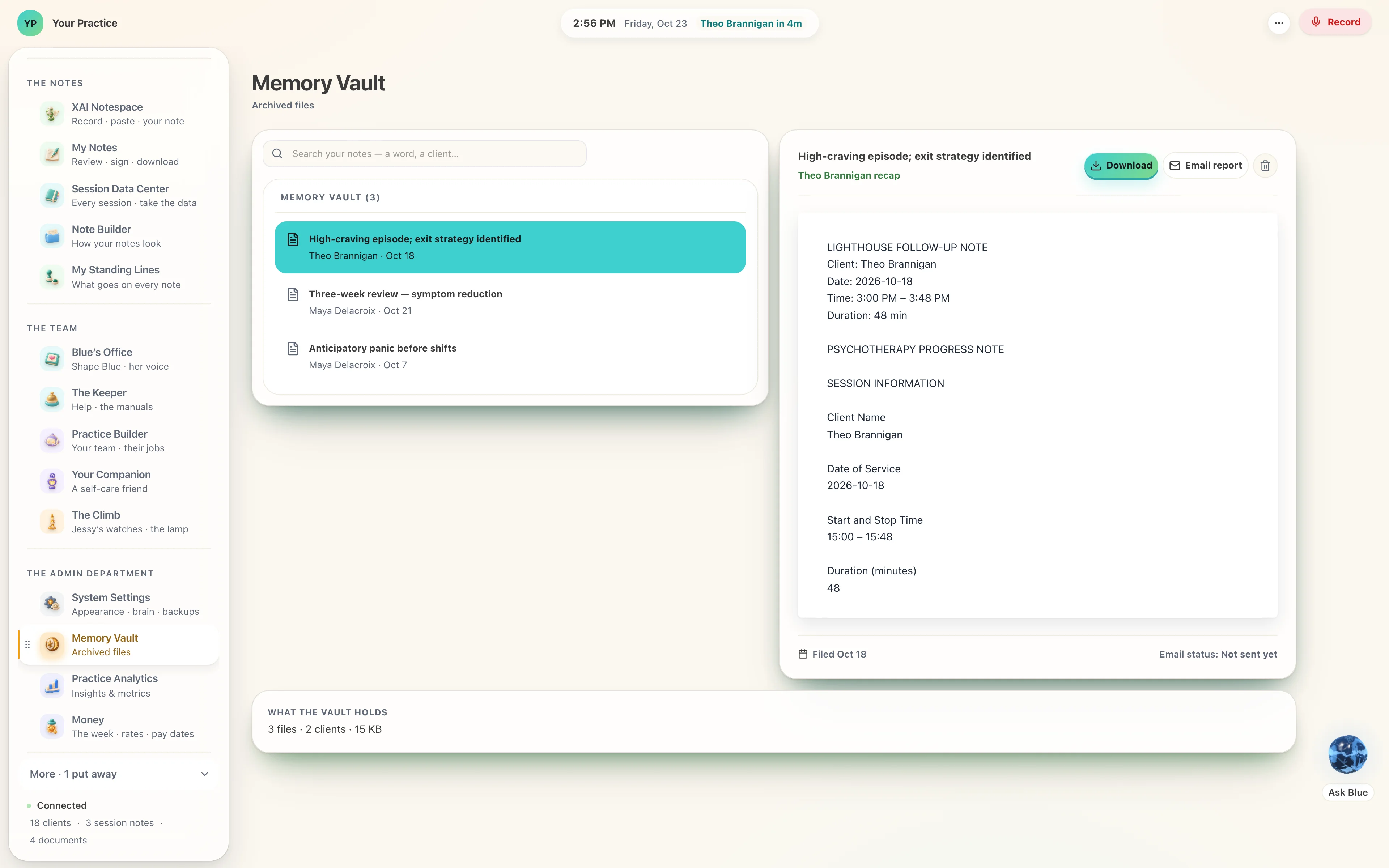
The note reads as the page it will print as, and the Memory Vault keeps every one the same way.
Your clients’ worlds, in a headset.
A tool you send from the Lighthouse can be done in the headset too, and its receipt comes home to the record the same way.
Twenty-eight screens, and one workspace.
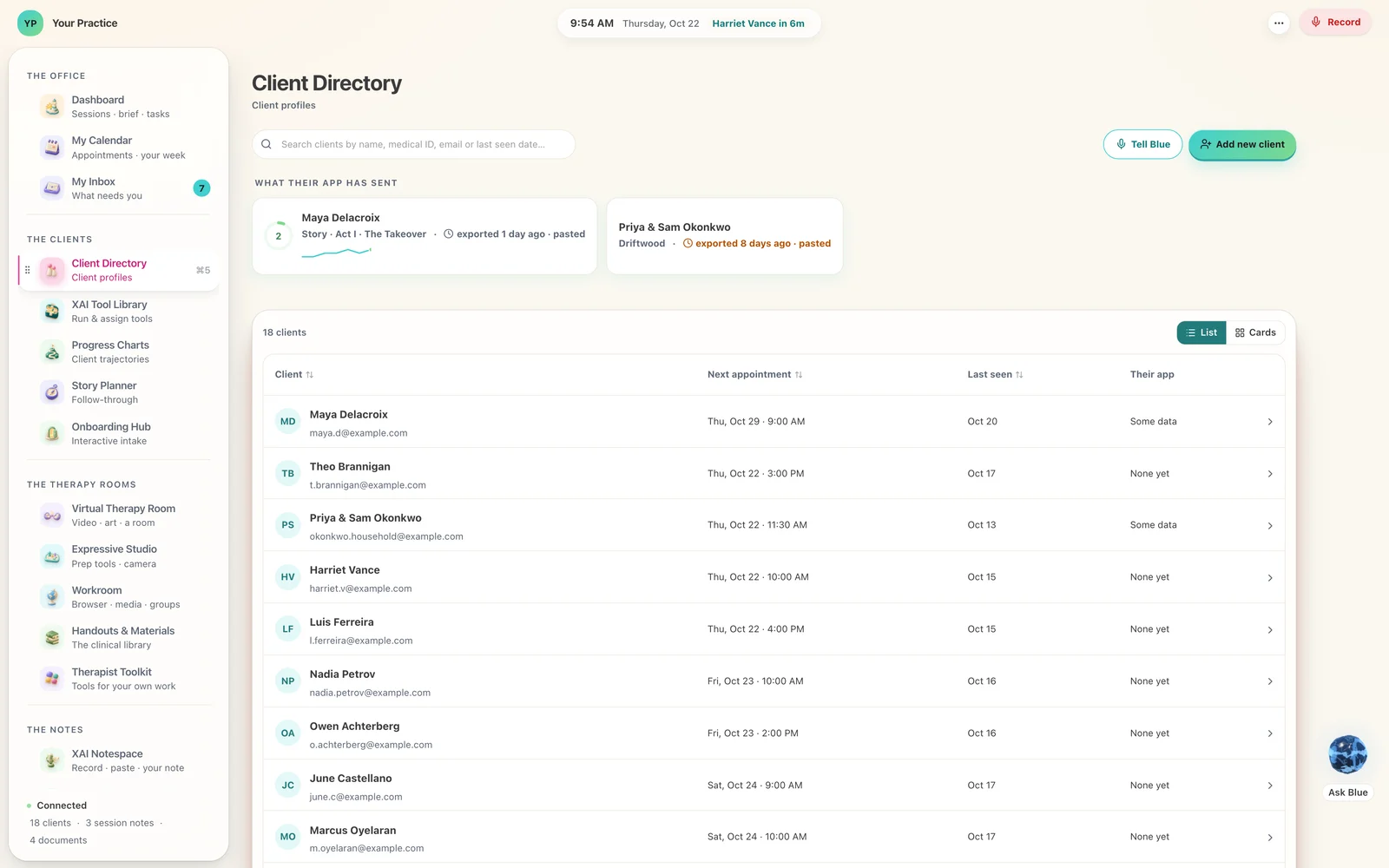
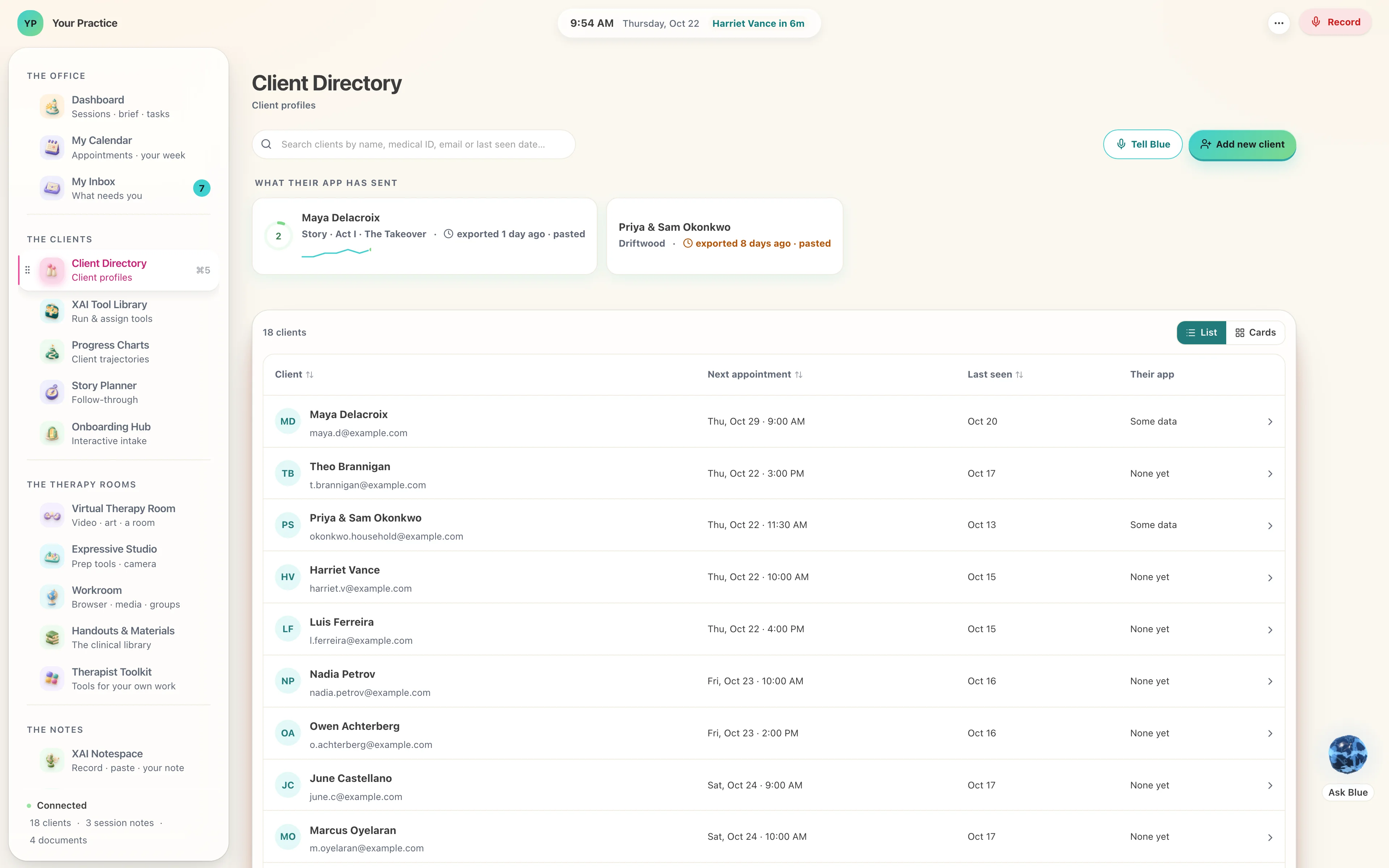
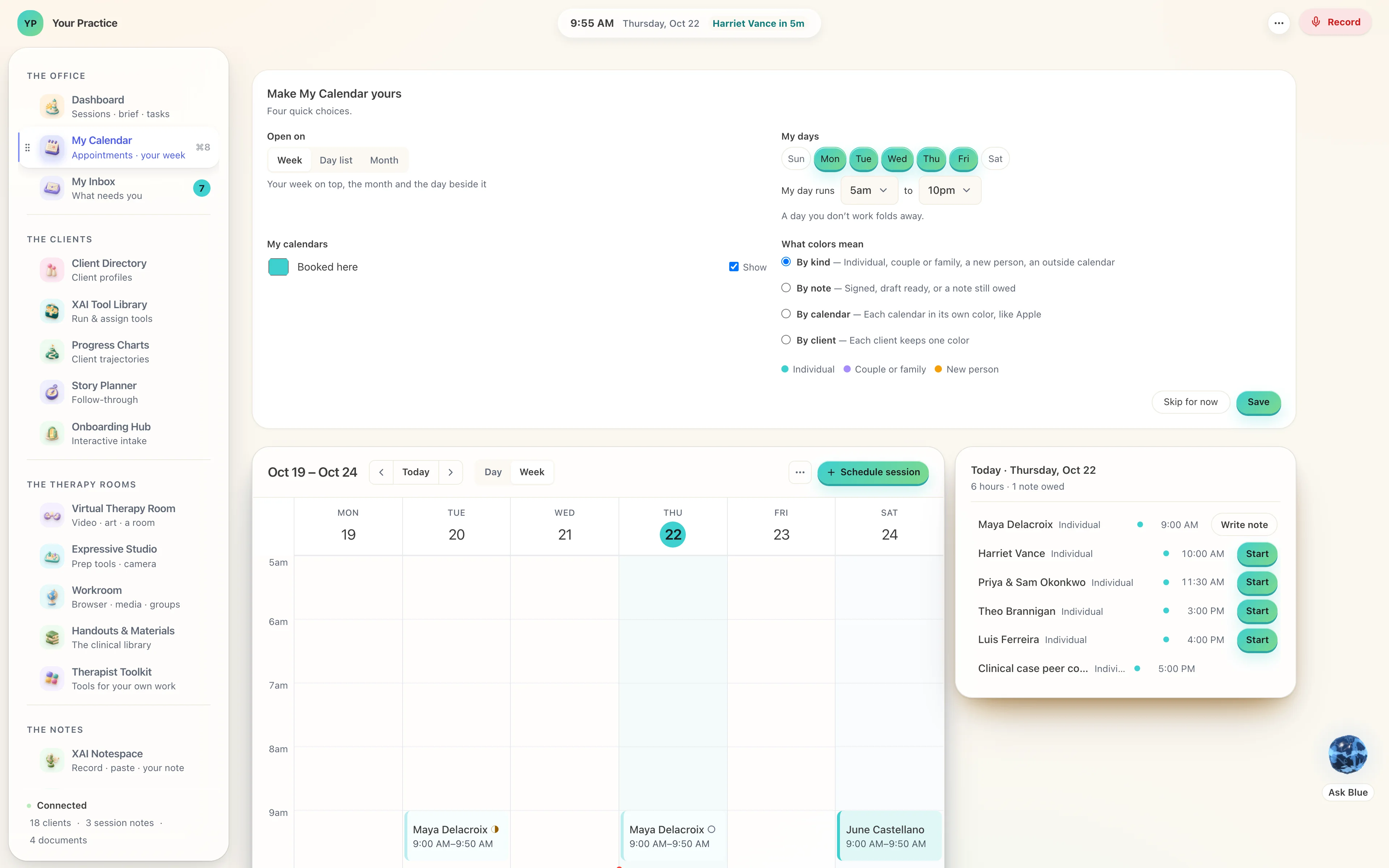
Appointments, the money, assessments scored and kept with the person they belong to, progress you can see, a supervisor’s co-sign queue, your own library of handouts. Every screen has an object of its own, sculpted and lit, so the place you are in is something you recognise rather than something you read.








A download, a double-click, and your week, your notes, your practice.
Blue walks you through three short chapters — Your week · Your notes · Your practice — one question at a time, or every question on one page. You can stop halfway and come back to it. By the end the workspace is wearing your practice’s name, your colours and your own wording, and you have recorded a first hour to see it work.
Your own computer, your own copy.
Eight rooms, thirty seconds each.
Jessy walks you through one room at a time: the onboarding hub, your calendar, Blue, the canvas, a tool sent home, the session room, the client card and the Climb. Filmed in the Lighthouse on 29 September. Tap one to play it with sound.
Somebody has to keep the light on.
The worlds your clients walk into were built by a father who knew he was running out of time, for a child who was frightened. His time was short, so he built things that would answer in his place — and the promise he made was that something would always answer.
You are the part of that promise a piece of software leaves to a person. This is the room you keep it from.

One seat for the therapist. One world for the person.
The Lighthouse is the therapist’s. A world is the person’s.
$49.99
a month · the therapist. The whole workspace, installed on your own computer. A full refund in the first thirty days.
$19.99
a month · the person. Bought by the person, for the person. It pairs with a therapist's Lighthouse if they run one, and it works just as well on its own.
Three paired clients and the seat is half price. Five, and it is free.
A client who pairs their world with your Lighthouse pays down your seat.
Start when you are ready.
Tell us what you want to start with, and we set you up: the seat, a world, or both.
How was your week? “Great.”
Thirty-second spots from the studio. A client says the week was great, and the Lighthouse brings what they practised in the six days between. Tap one to play it with sound.
Built by the therapist who uses it.
Every screen in here was walked, by eye, by a licensed counselor of twenty-five years — and rebuilt where it did not hold up. 661 automated checks run before anything ships, and each of them exists because something was once wrong.
It is one half of a loop: the workspace you run your practice in, and three worlds that carry the work home between sessions.
Open it, and see for yourself.
The showroom is the real software with a demonstration practice inside it. Press anything you like.